Configuration - Operations
The Operations feature will allow you to edit configurations for daily operations.
Hours
We're currently working on this feature, if you need to set up operational hours, please talk to your Solution Consultant.
SMS
Here you can add the credentials and set up the SMS sender name for your different service providers. Please note that if you need to add a new SMS provider you'll need to check with your Solution Consultant.
For this feature to work, The service provider must support the use of different names. This could be restricted by country laws and a parallel procedure must be followed to allow using certain names (to avoid phishing scams).
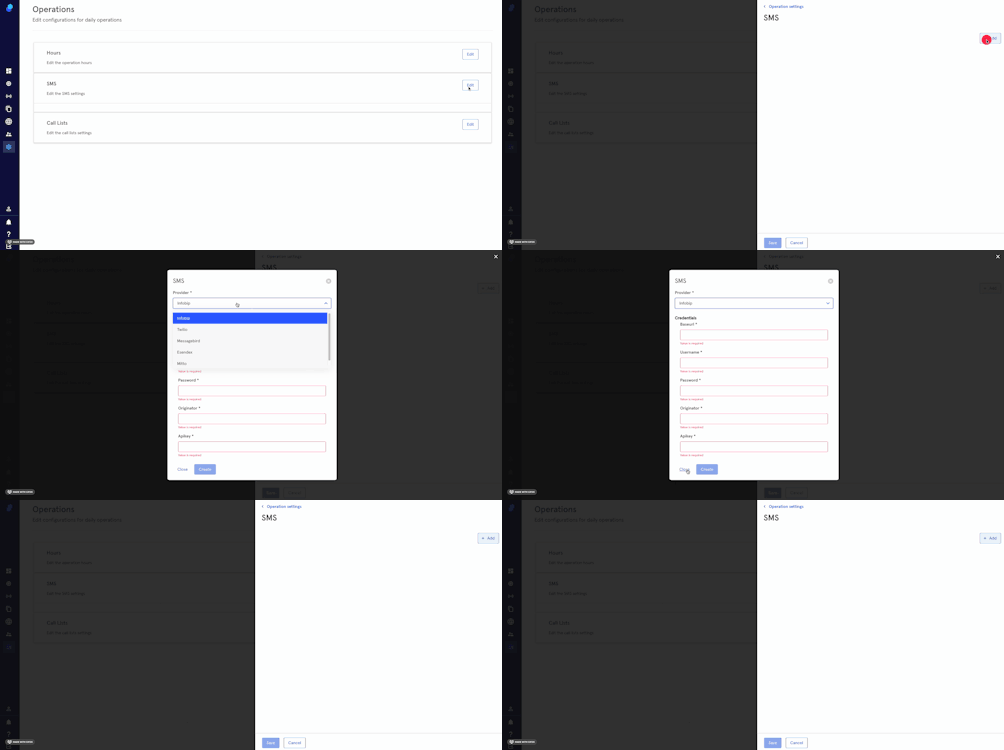
To add the credentials
- Click on 'Edit'.
- You'll see a modal on the right side of your screen
- click on Add
- Choose your provider and fill in the credentials needed
- Click Create to proceed or Close.
To add a sender name
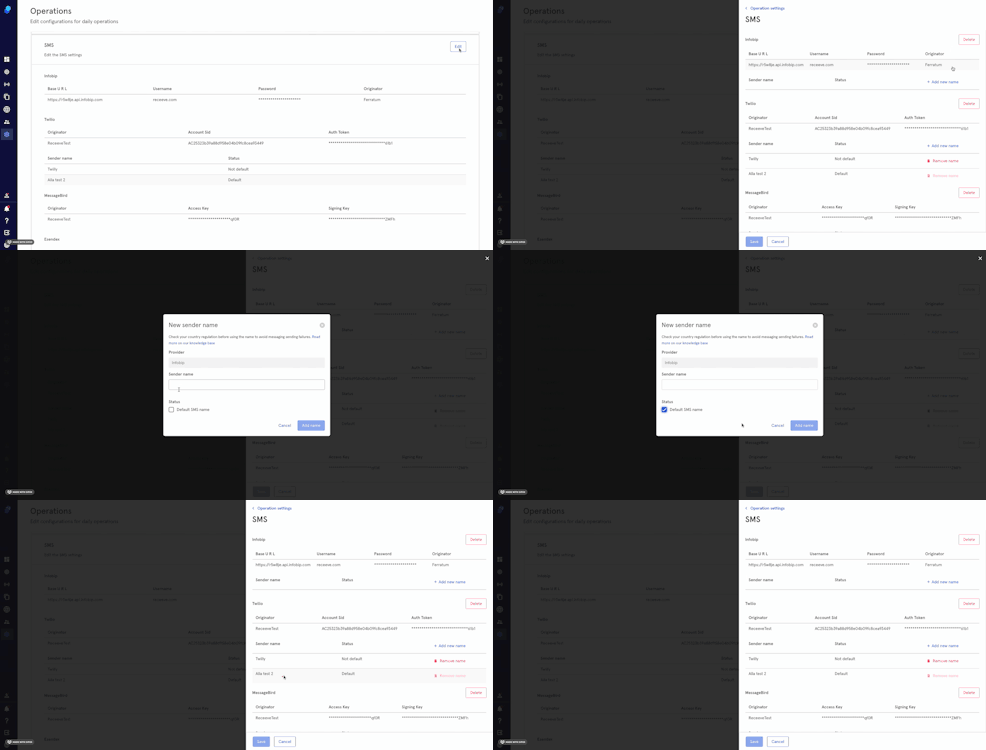
- Click on 'Edit'; the modal will show the list of providers (with credentials)
- Click on Add new name
- Add a Sender Name
- Optional: Click on the default SMS name checkbox
- Click Add Name to proceed or Cancel
Call list
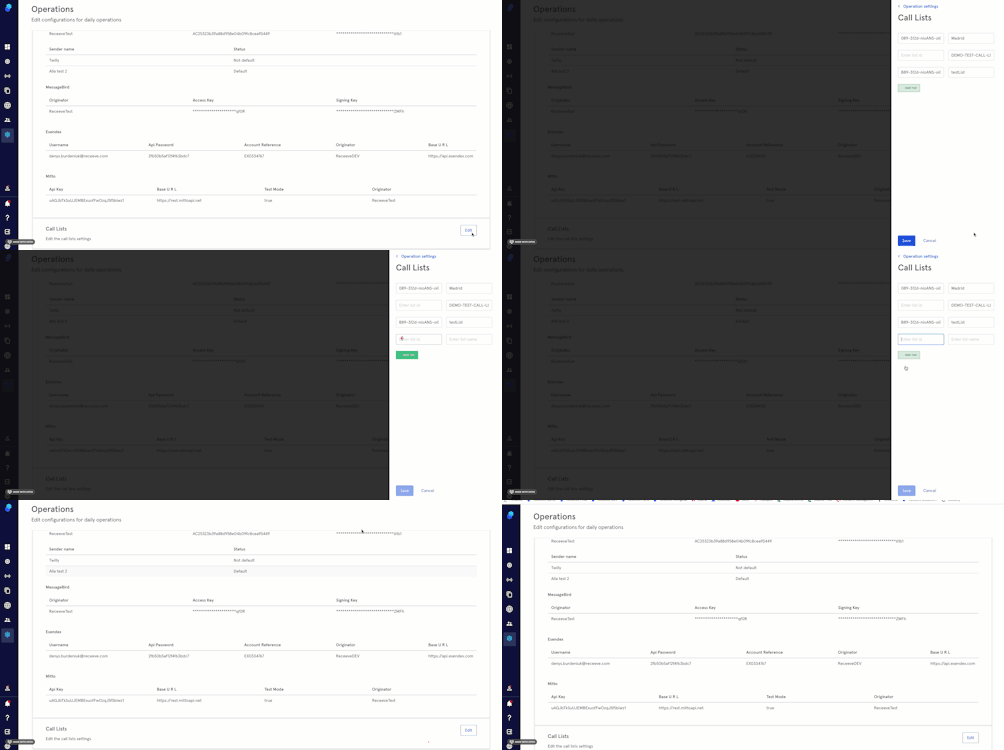
This is only relevant if you're using an external dialer software. The lists added here will be available on your strategy ('Add account to call list' step).
- Click on Edit
- Click on 'Add row'
- Enter list ID and list name
- Click 'Save' to proceed or Cancel.