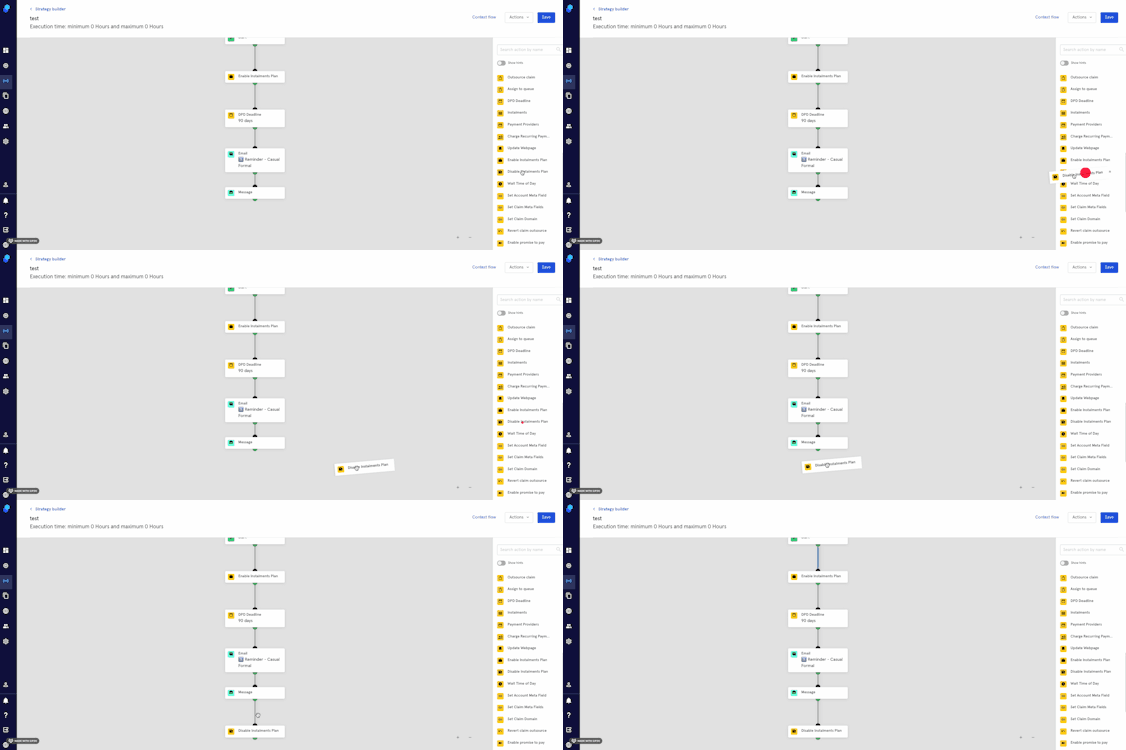
Step: Enable/Disable Instalments Plan
By enabling instalments in your strategies you can offer your customers the possibility of making payments based on their financial capabilities. You can also disable this possibility whenever you decide. Let's check out the steps:
Enable Instalments
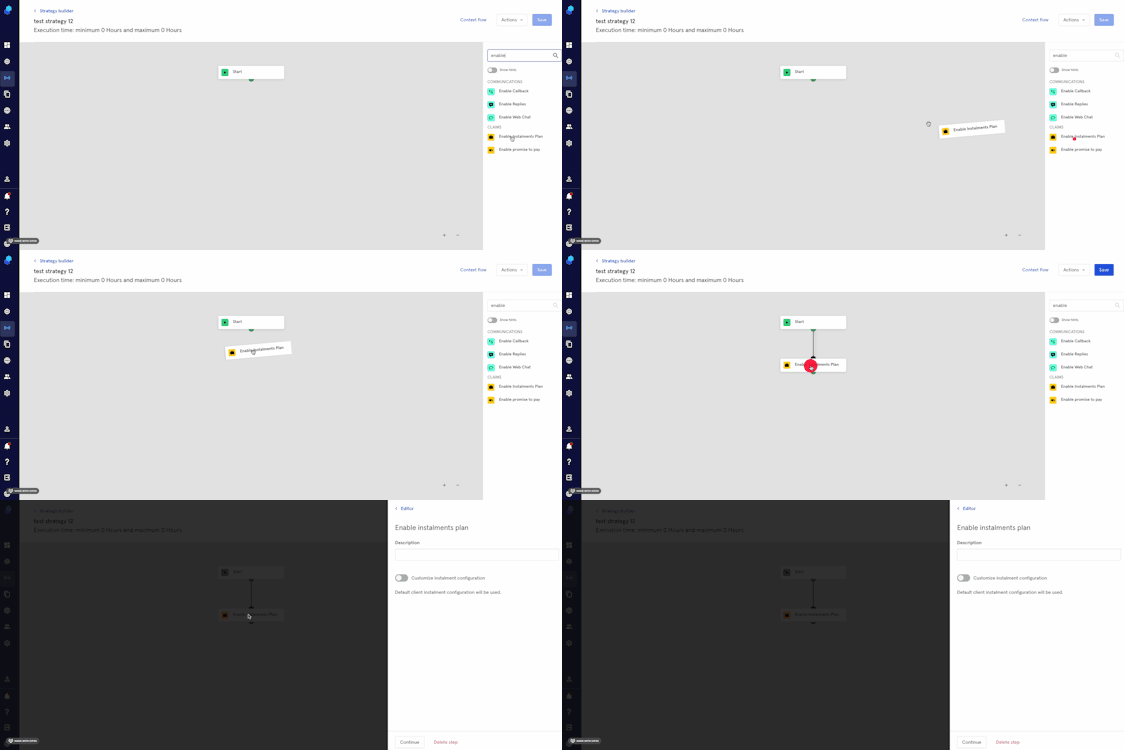
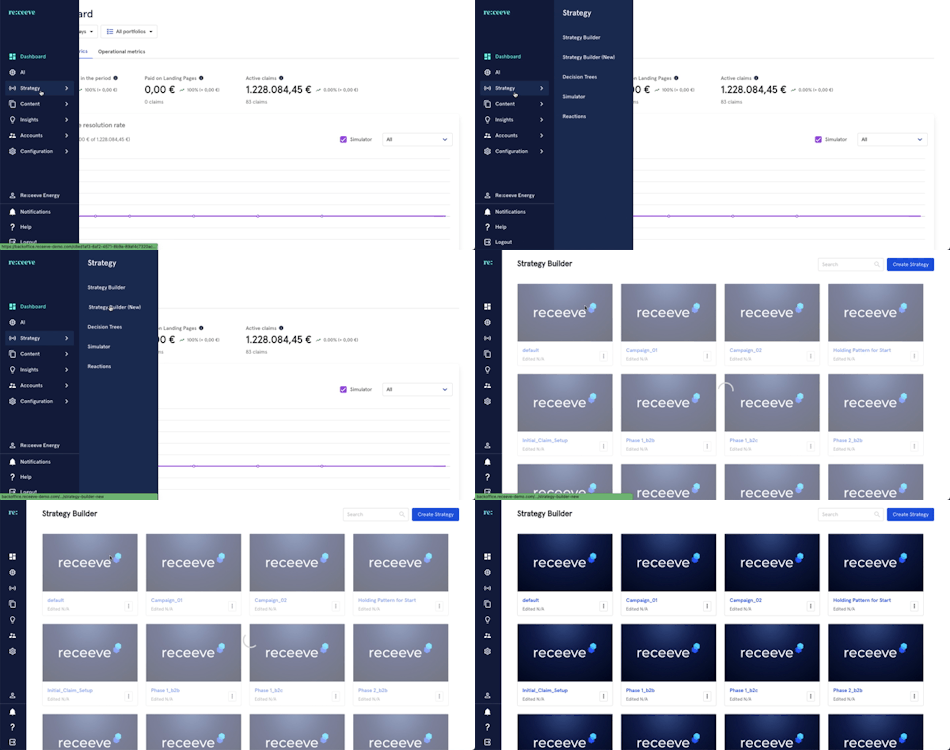
- Click Strategy from the menu and then proceed to Strategy Builder.
- On the step library, locate the 'Enable Instalments' step under the Claims section (Yellow) and then drag it to your strategy. You may also look for the step by typing in the Search box.
- Click on the step; a modal will appear on the right side of your screen.
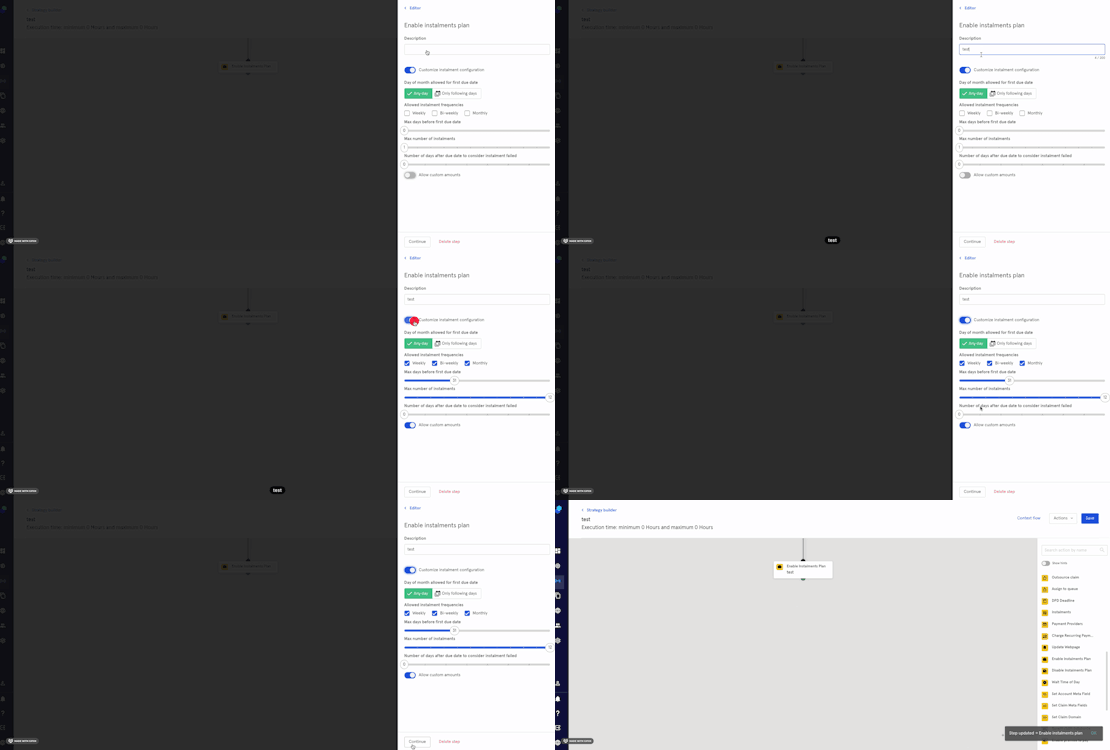
- Add a description.
- Next you can either leave the default instalment configuration or
- You can use the toggle to customize the instalment configuration where you can choose:
- Day of the month
- Instalment frequencies
- Max days before first due date
- Max number of instalments
- Number of days after due date to consider an instalment failed
- Toggle to allow custom amounts
- Click on 'Continue' to proceed or click on 'Delete step' to delete it.
Let's illustrate with an example:
Example
We want to enable instalments for all the claims going through our strategy so we'll put the step at the beginning of our strategy. We'll customize our instalments plan accordingly.
Disabling Instalments
You can disable the instalments plan at any point in your strategy bu adding the disable instalments step.
In the step library, locate the 'Disable Instalments Plan' step under the Claims section (Yellow) and then drag it to your strategy. You may also look for the step by typing in the Search box.
From now on instalment options are disabled in your strategy.