Step: Set Account Metafield
When a claim goes through a specific strategy, we might want to set values for that claim/account. Let's use an example:
So our claim is following a specific strategy and in the middle of it you want to set the value 'Archived' for that claim. Once assigned, the value will redirect the claim elsewhere.
How the step works
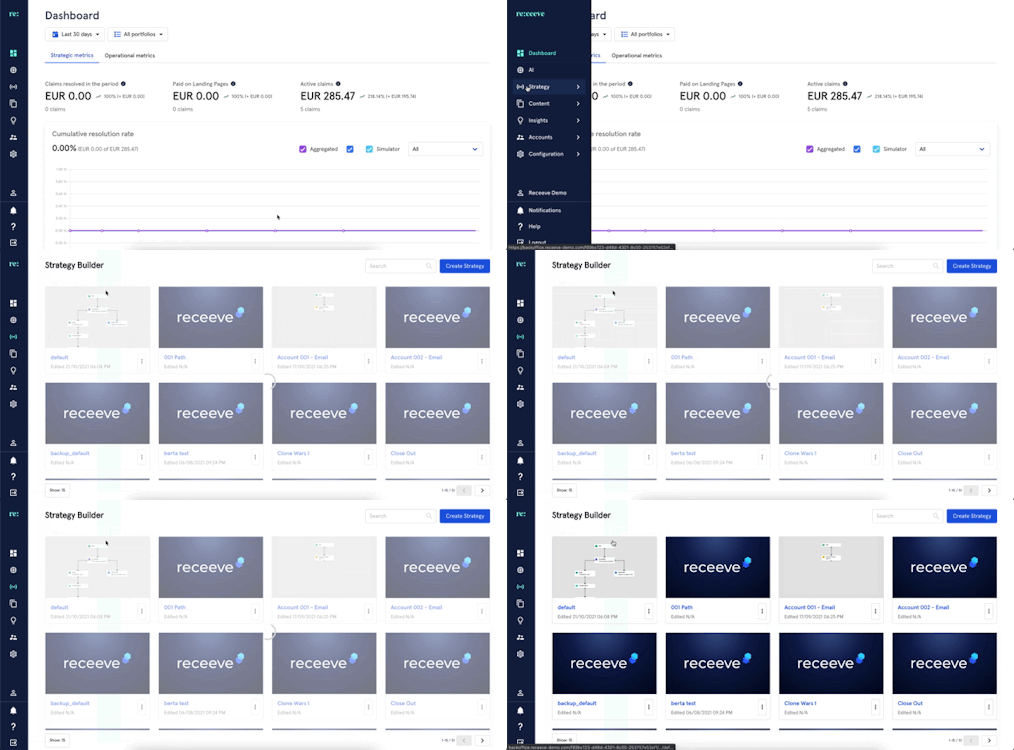
To set-up the 'Set Account Meta Field' step, from the menu go to 'Strategy 'and click 'Strategy Builder'.
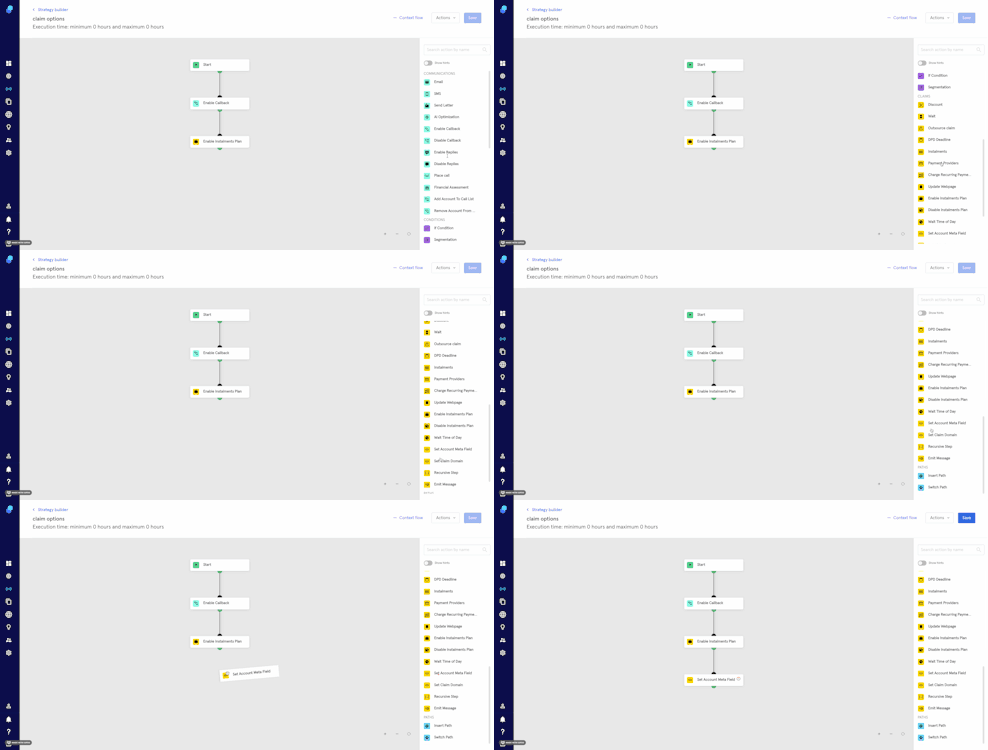
In the step library, locate ‘Set Account Meta Field’ step under the Claims section (Yellow) and then drag it to the Strategy Builder.
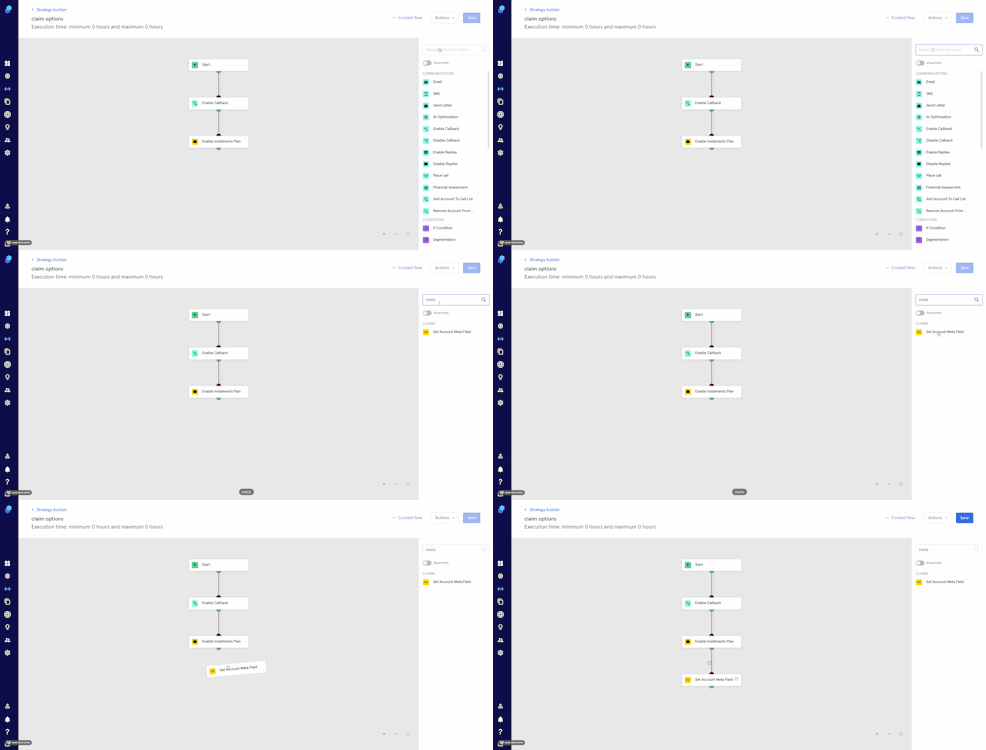
You may also look for the step by typing in the search bar.
To set the meta field:
- Click on the step. A modal will open up.
- Add a Description
- Click on the Meta Field box and select 'meta'. Now select the relevant meta field. Click on 'apply' if you want to proceed, or 'cancel' if you don't (Please note that in the example we're using 'special condition').
- Select 'value'. (for this example we'll be using 'archived')
- Click 'Continue' to save or 'Delete' to delete the step.
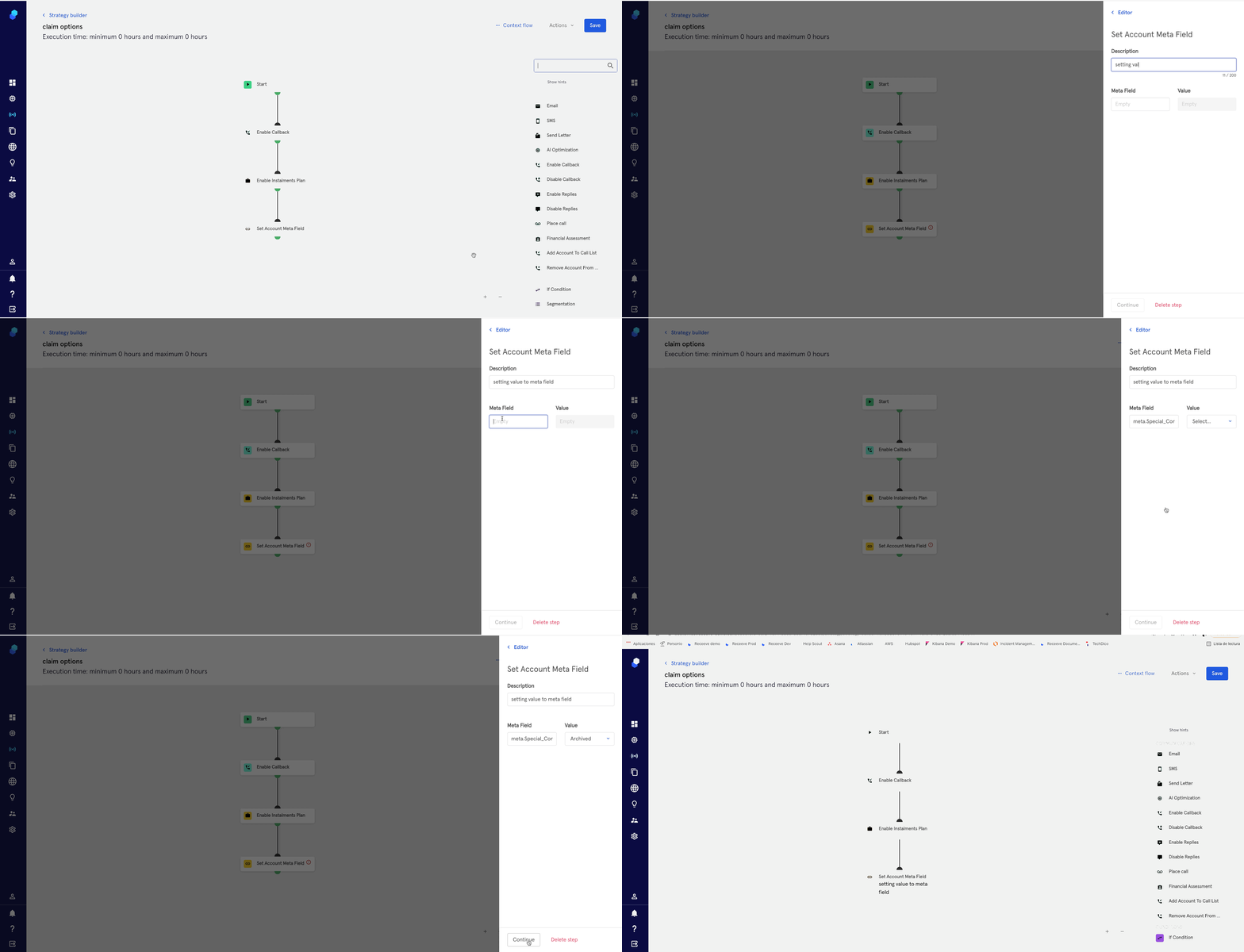
Once the claim goes through this step, the metadata is set based on your initial configuration. You can create metadata schemas on configuration > general. Please read this article for more information.