Step Type: Payment Providers
This step type will let you set the payment methods allowed right after the claims pass through this step. You can use it at the beginning of the journey to set payment methods for all claims, or you can place it in specific strategies toactivate or deactivate particular payment methods at a given time/situation.
For example:
You have two score classes labeled A and B. You have higher credit card chargebacks on B. So when you start, you have both groups going into a strategy that determines which payment methods are allowed. With A, you then enable everything, and with B, you enable everything except credit cards.
Creating the Step
- Click on Strategy>Strategy Builder
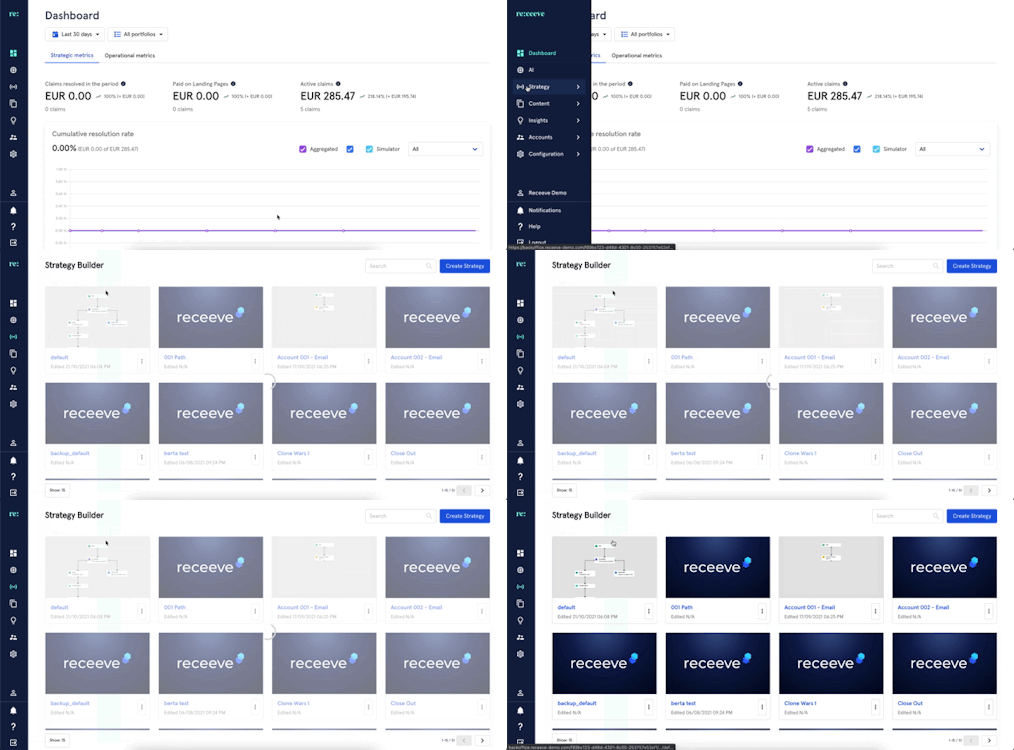
- Go to an existing strategy or create a new strategy.
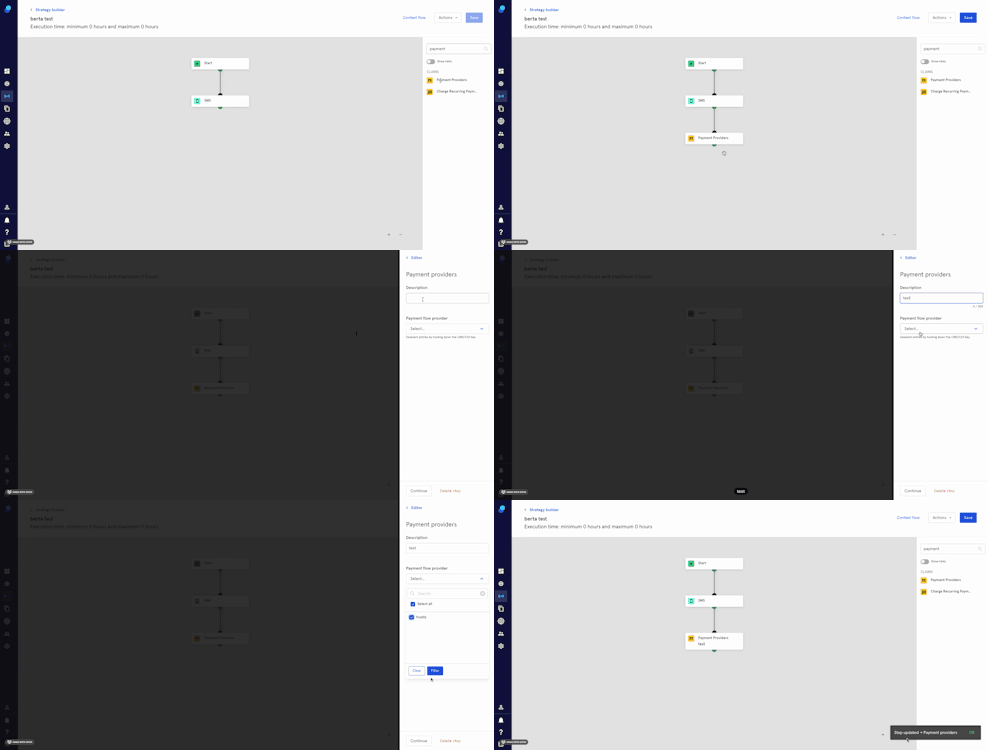
- In the step library, locate the 'payment providers’ step under the Claims section (Yellow) and then drag it to the Strategy Builder.
- Click on the step. A modal will open up.
- Add a description.
- Select the preferred payment providers from the dropdown or select all .
- Click on 'Continue' to proceed or click on 'delete step' to delete.
We'll need to integrate with the payment providers of your choice. Please check with your Solution Consultant for further details.