Step: Wait until next day
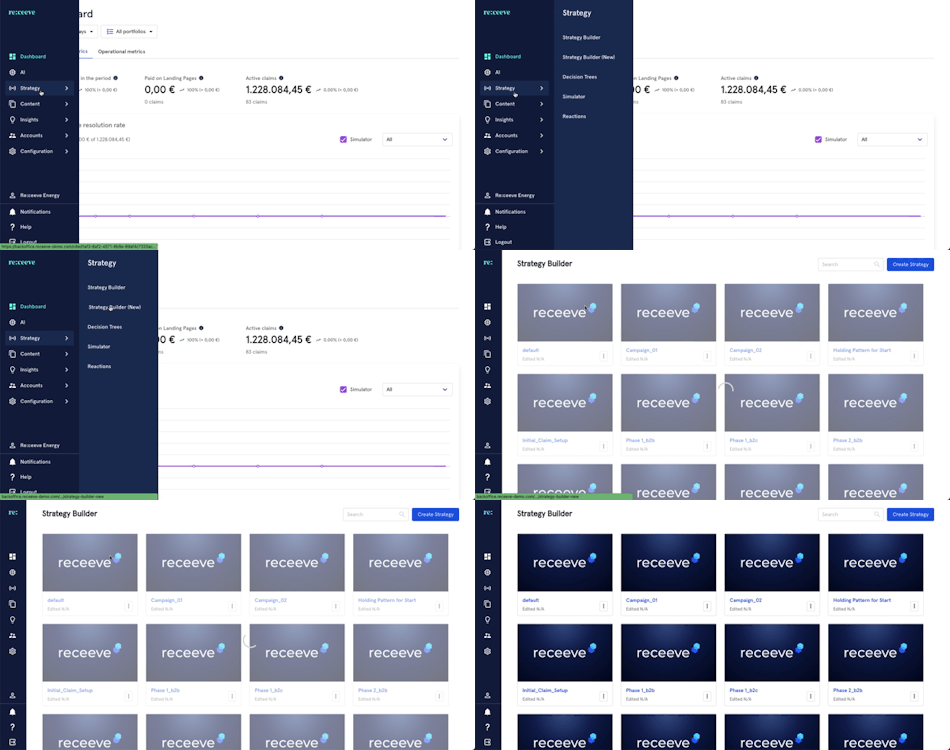
When the ‘Wait until next day’ step is added to pause a strategy and wait until the next day to resume the next step linked. To set-up this step, go to Strategy in the main menu. Once here, click on Strategy Builder.
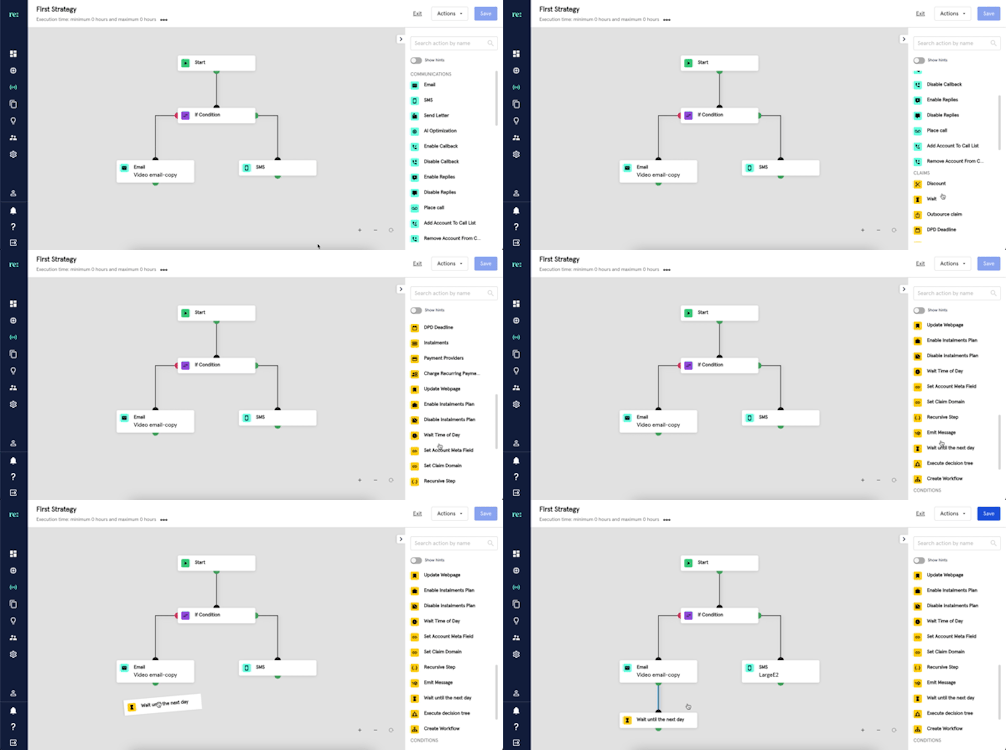
Find the ‘Wait until next day’ step in the Claims section. This step is identified with a yellow hourglass icon.
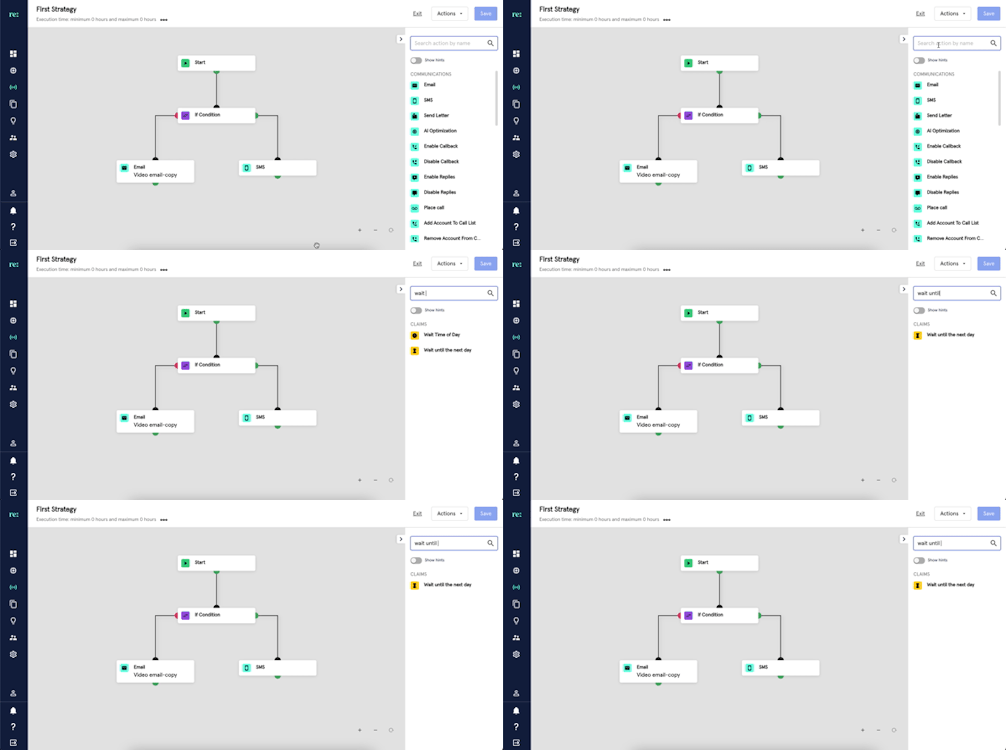
You may also look for Wait until next day by typing it at the search bar.
Click the ‘Wait until next day’ step and add a description.
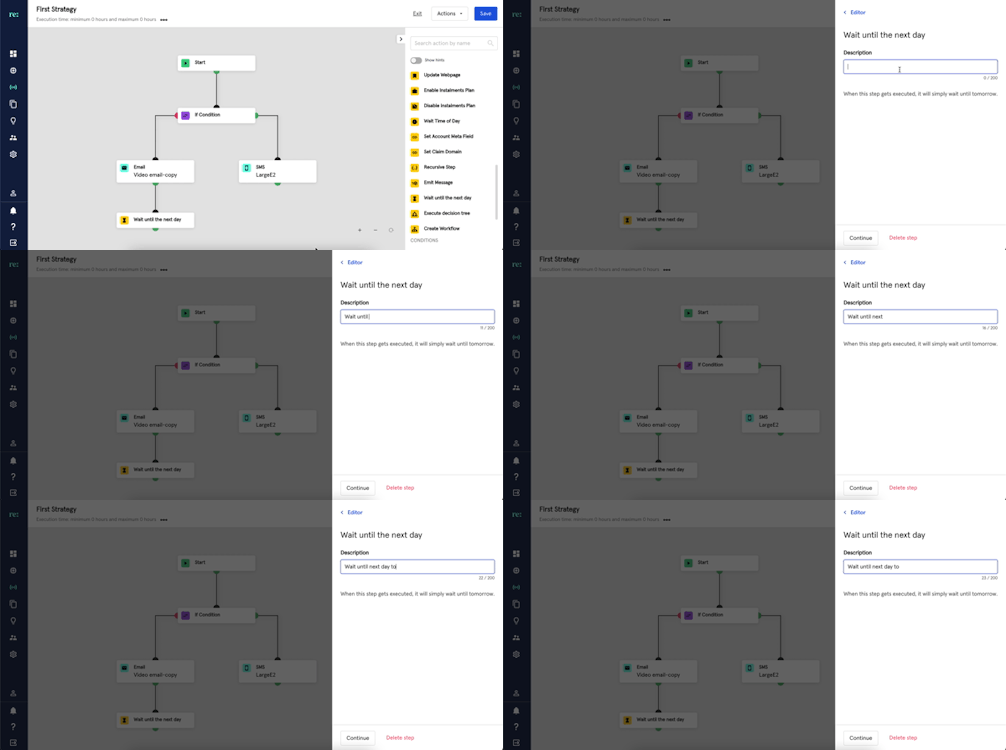
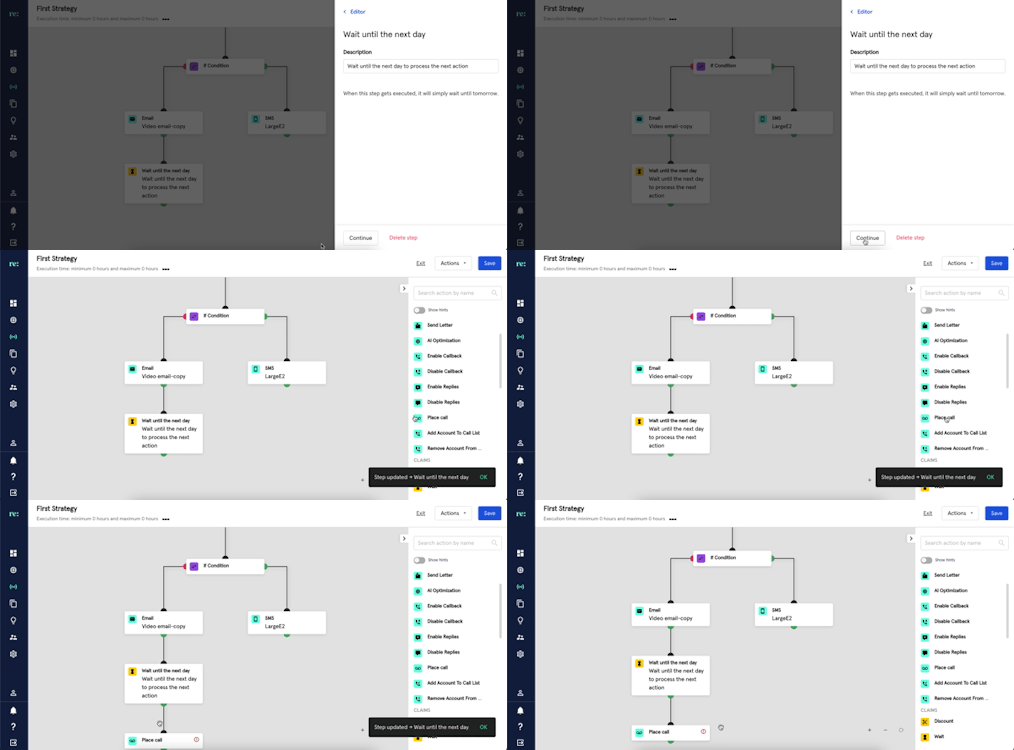
Then click continue to save the description. The next linked step will be executed after a day. In the example below, after the ‘Email’ step is executed, the strategy will proceed with the 'Wait until next day' step. By executing it, the strategy will stop and wait for a day before resuming with the next step attached which is ‘Place Call’.
A ‘Wait until next day’ step may also be deleted by clicking the ‘Delete Step’.