Account Ledger with Account Aggregates
The Ledger widget on the Account page gives you a single, aggregated view of the financial position across every claim that belongs to an account. Instead of opening each claim individually, you can see the total outstanding amount, how much has been credited or debited, and how the figures break down across the account's active and resolved claims.
How account aggregates work
An account can hold an effectively unlimited number of claims. To keep the Ledger fast and reliable at any scale, the aggregate figures are calculated in the backend by dedicated jobs rather than being computed on the fly when the page loads.
The frontend simply reads the already-calculated values, which makes the widget load much faster — and the benefit becomes especially clear as more claims are added to an account, where calculating the totals in the browser would be slow.
Because the calculation happens in the backend, the displayed figures are eventually consistent: after a new event occurs, the figures are refreshed the next time the calculation job runs. The reload button lets you force an immediate recalculation when you don't want to wait for that.
Ledger summary
When you open an account, the Ledger widget shows a high-level summary:
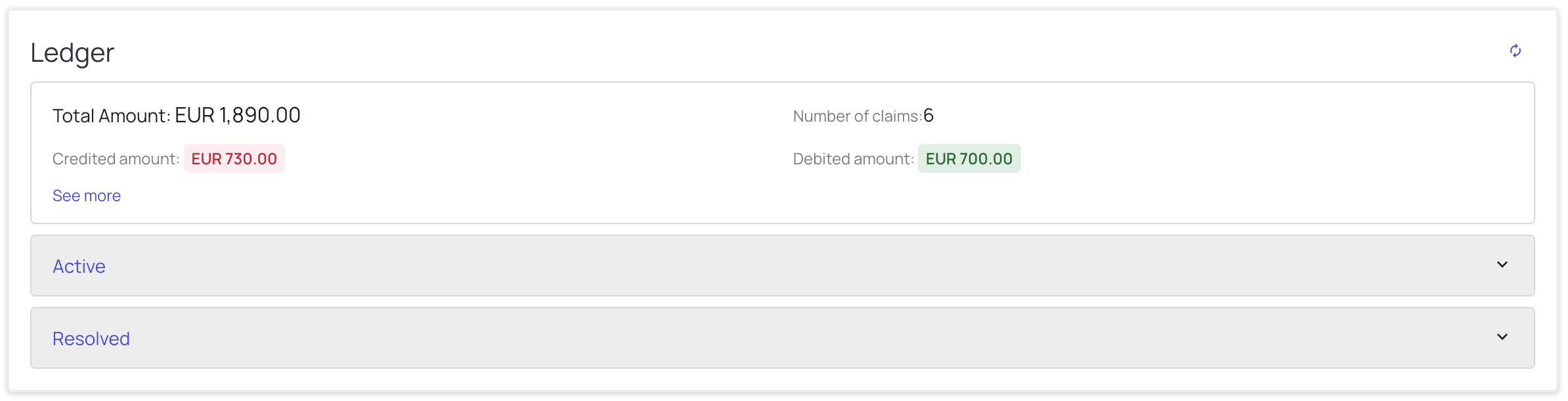
- Total Amount – the current total amount outstanding across all claims on the account.
- Number of claims – the total number of claims included in the aggregate.
- Credited amount – the total amount credited (shown in red).
- Debited amount – the total amount debited (shown in green).
Recalculating the aggregates
In the top-right corner of the widget there is a reload button that forces the aggregates to be recalculated. Hovering over it shows a tooltip with the time the figures were last calculated:

Aggregates are normally calculated in the backend, so the displayed figures are eventually consistent. The reload button is there for the cases where a recent event has just occurred and you don't want to wait for that eventual consistency — use it to force an immediate recalculation and see the up-to-date values.
Understanding Credit and Debit
The ledger tracks two types of movements against a claim:
- Credit (decrease of the Claim amount) – credits reduce the amount owed. These are typically driven by payments received against the claim. The credited amount is shown in red to indicate that the Claim amount has gone down.
- Debit (increase of the Claim amount) – debits increase the amount owed. These are typically driven by chargebacks applied to the claim. The debited amount is shown in green to indicate that the Claim amount has gone up.
Note: The colors reflect the direction of the Claim amount, not cash flow. Red marks a decrease of the Claim amount and green marks an increase, which is the opposite of the usual accounting convention.
Expanded summary (See more)
Click See more to expand the summary and reveal the full breakdown of the aggregate:
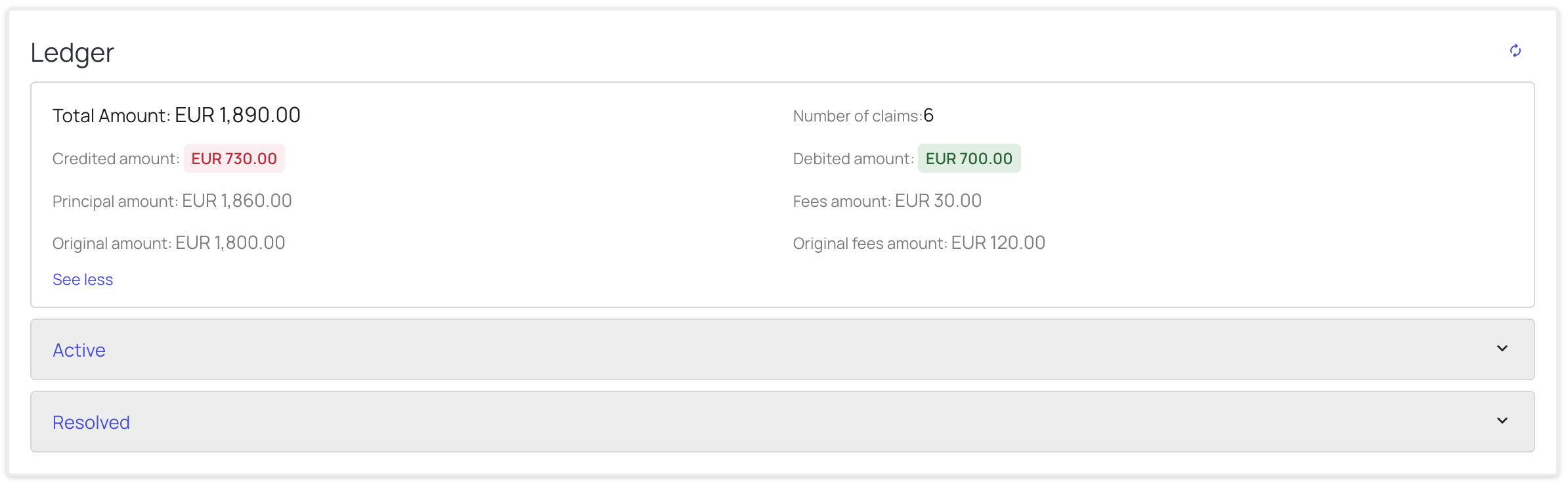
- Principal amount – the current principal owed.
- Fees amount – the current fees owed.
- Original amount – the principal amount at the time the claim was created.
- Original fees amount – the fees amount at the time the claim was created.
Click See less to collapse the breakdown.
Account aggregates: Active and Resolved
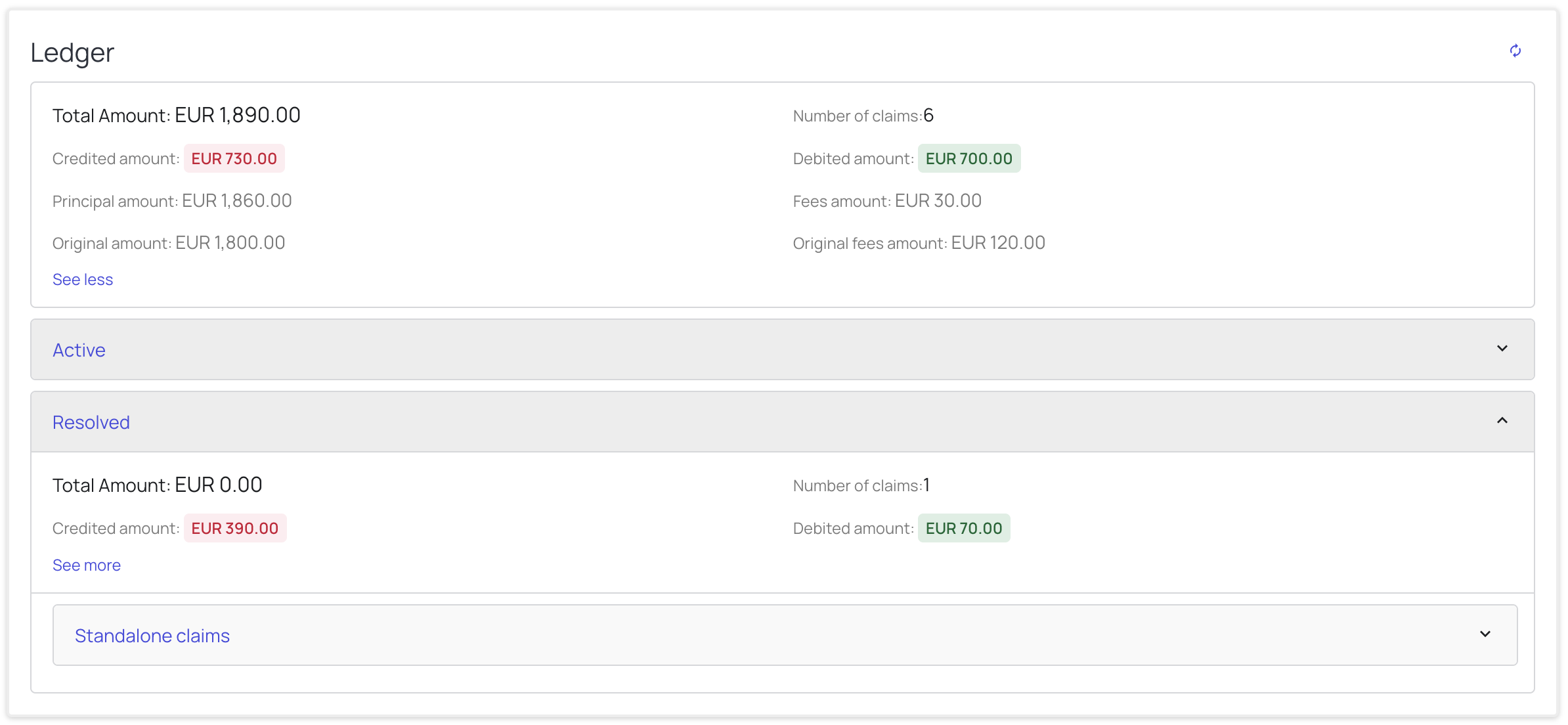
Below the summary, the ledger groups the account's claims into two aggregates, each with its own totals:
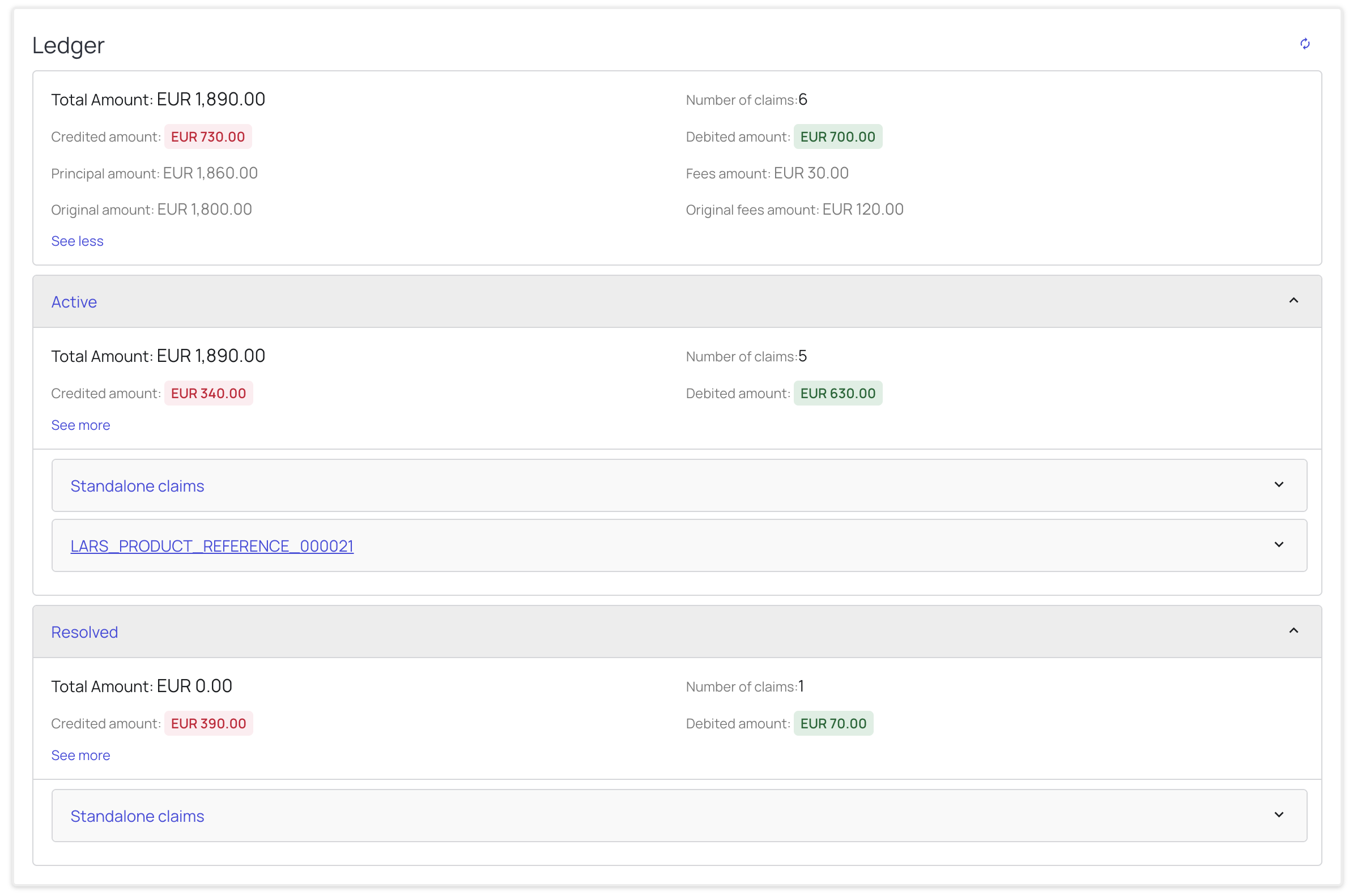
- Active – the aggregate of all claims that are still in progress.
- Resolved – the aggregate of all claims that have been resolved.
Each aggregate shows the same fields as the account-level summary (Total Amount, Number of claims, Credited amount, Debited amount, and the expanded breakdown via See more).
Active
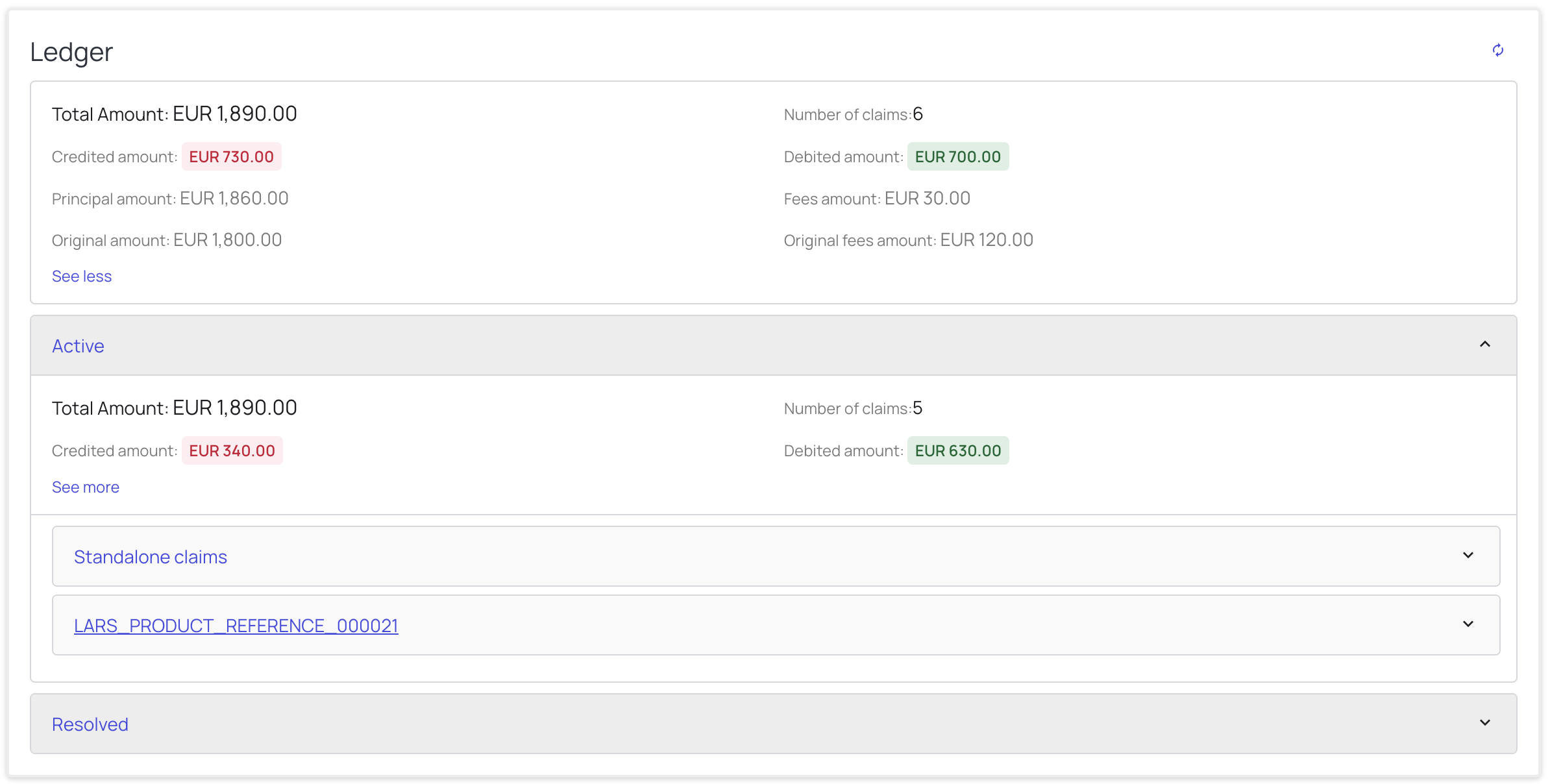
Resolved
Claim groupings
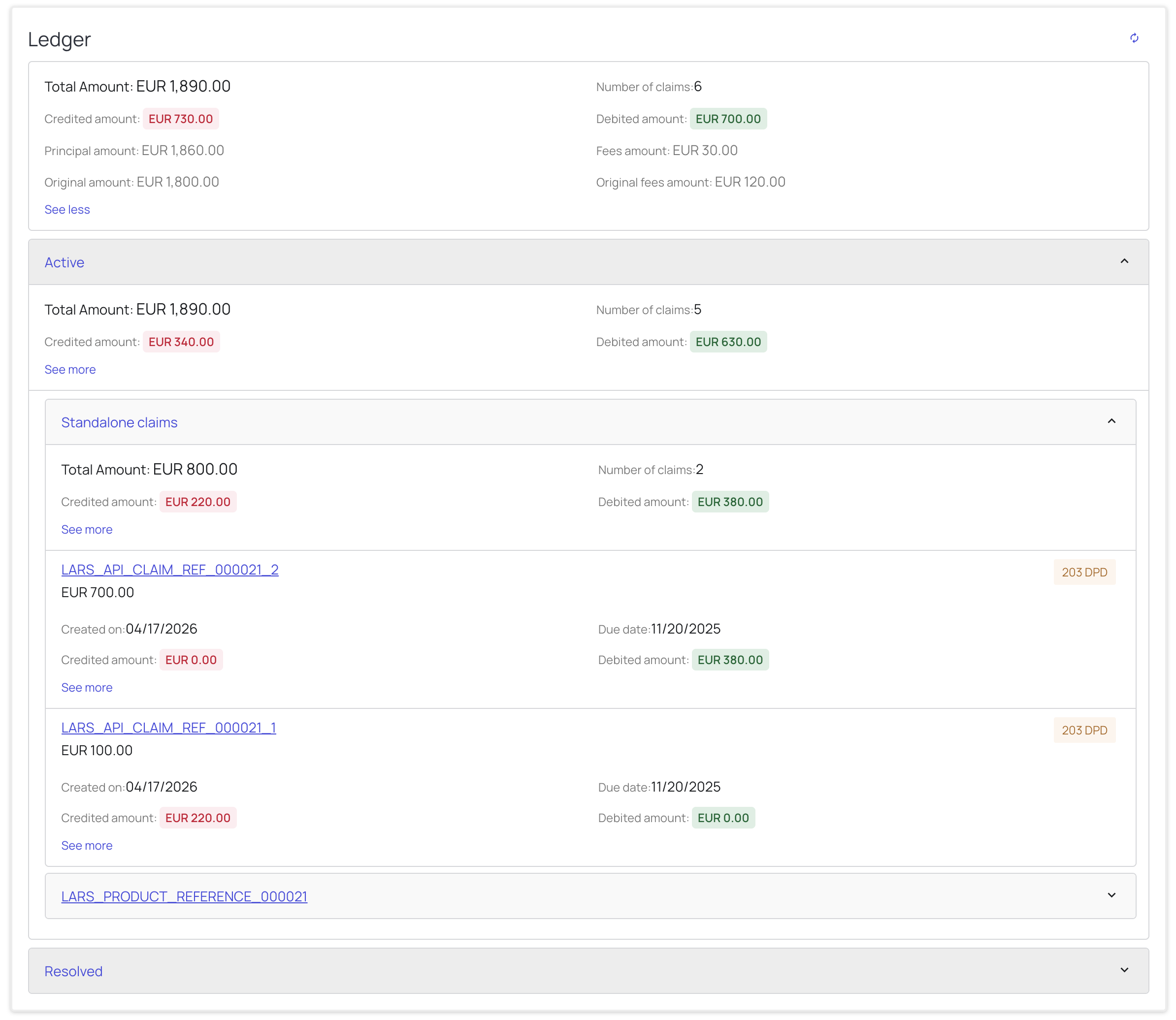
Within an aggregate, claims are organised into groups — for example Standalone claims or grouped by their product reference (e.g. LARS_PRODUCT_REFERENCE_000021). Expand a group to see its own aggregate totals and the individual claims it contains:
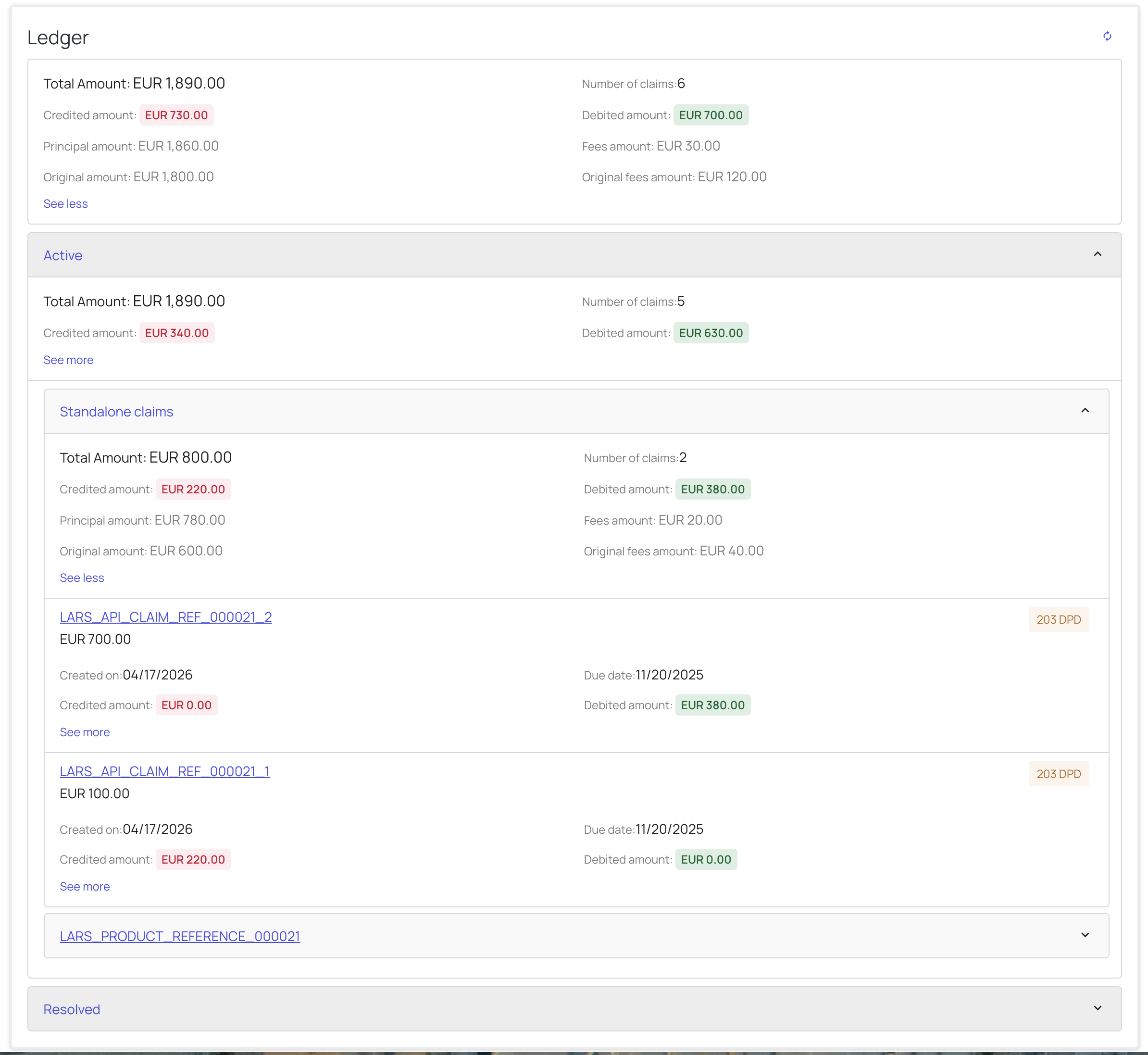
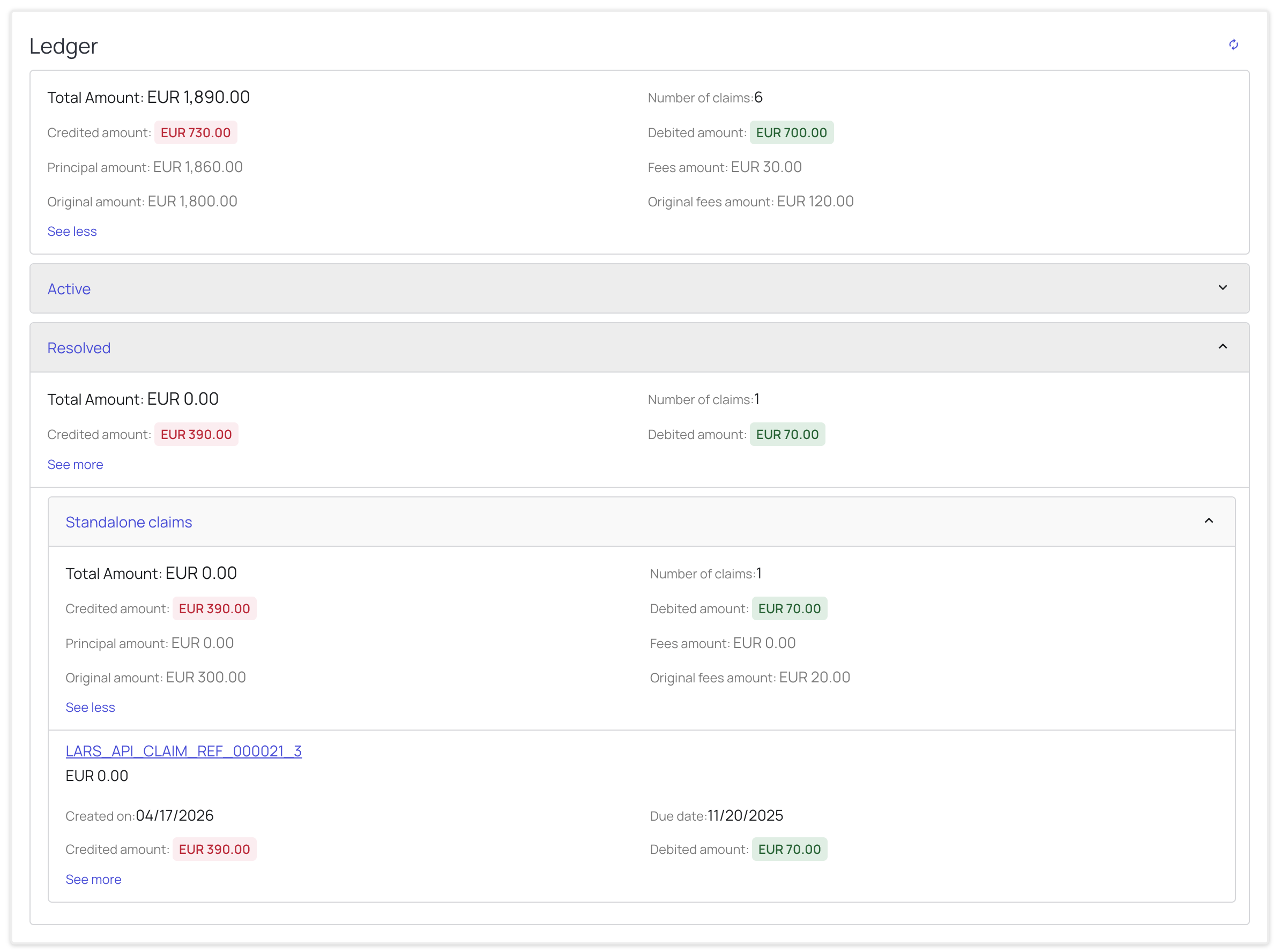
Each group exposes the same See more breakdown (Principal, Fees, Original amount, Original fees amount) for the claims it contains:
Individual claim detail
Each claim row within a group shows:
- The claim reference (a link to the claim) and its current amount.
- Created on – the date the claim was created.
- Due date – the claim's due date.
- A DPD badge (e.g.
203 DPD) indicating days past due. - The claim's Credited amount and Debited amount.
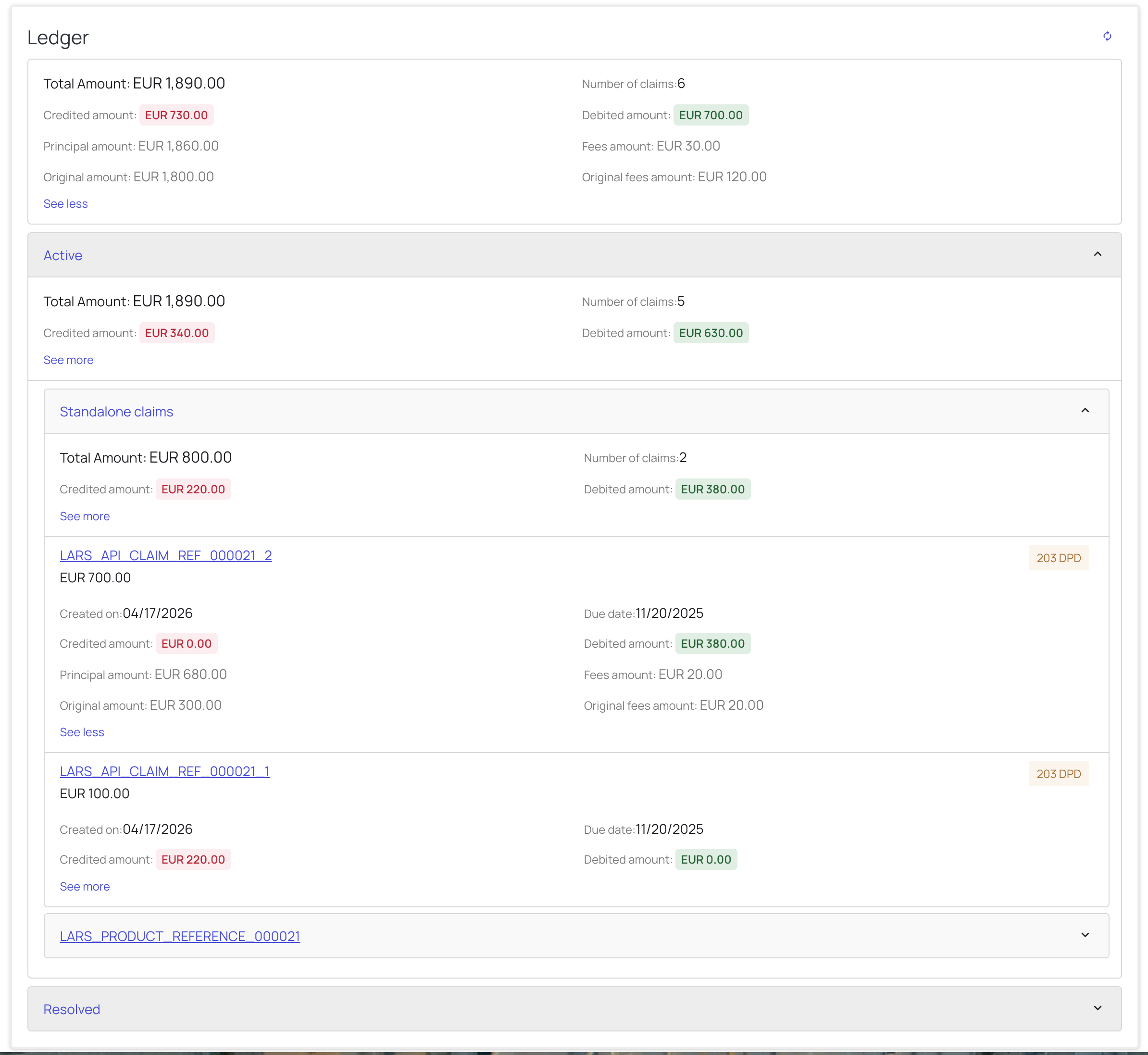
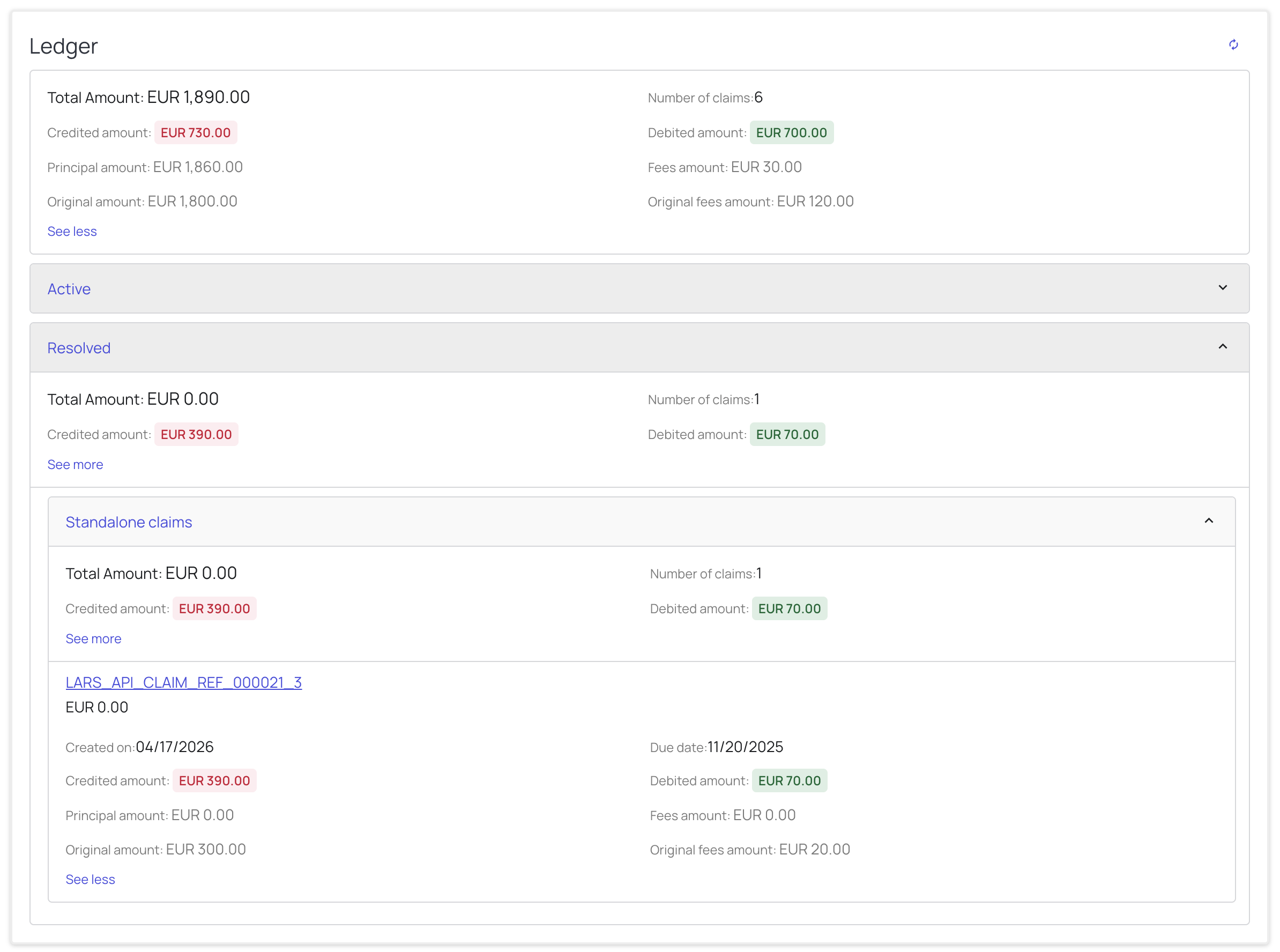
Click See more on an individual claim to view its Principal, Fees, Original amount, and Original fees amount:
Resolved claims
The Resolved aggregate behaves the same way. Expand it to view the grouped and individual resolved claims:
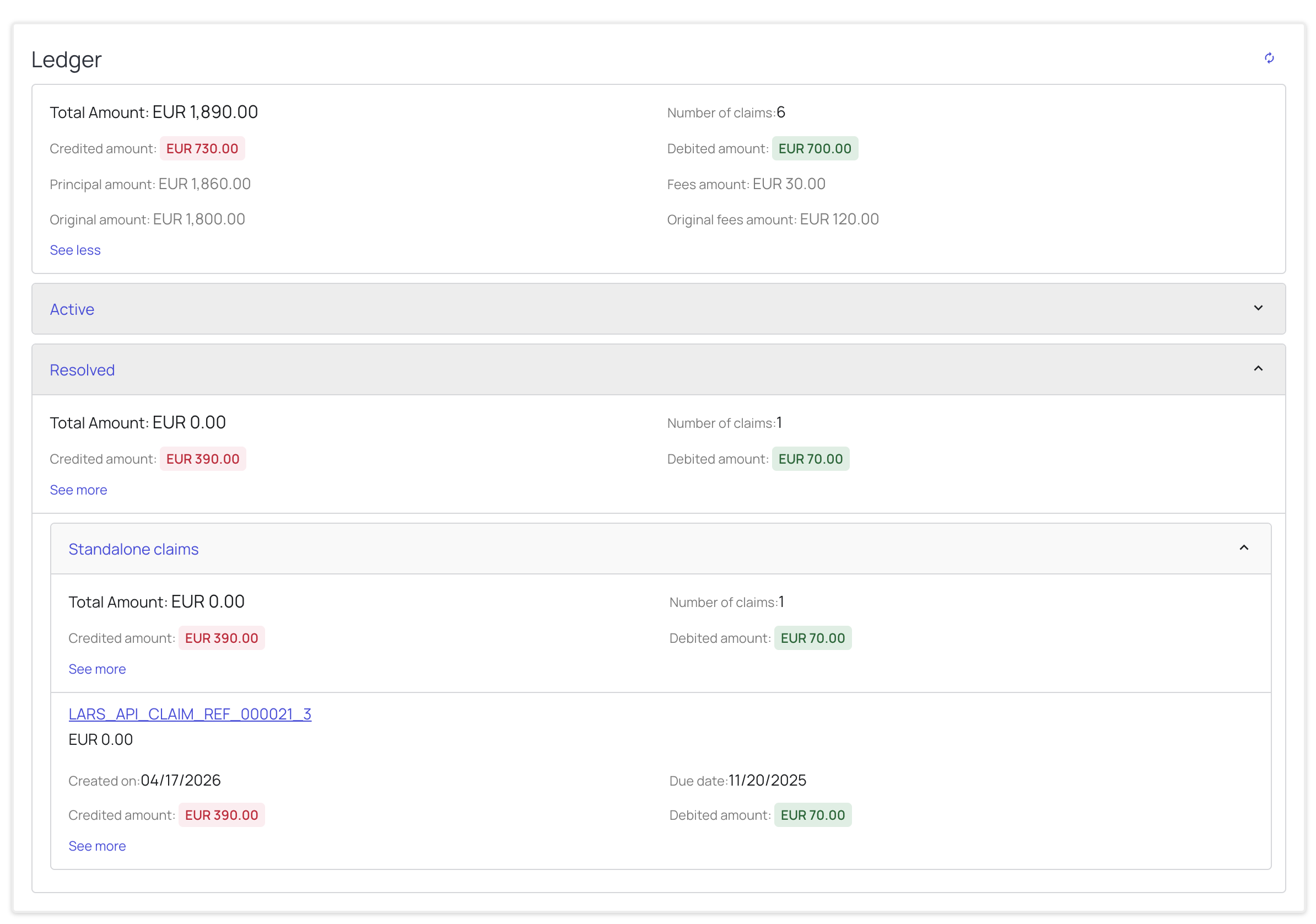
The group-level and claim-level See more breakdowns are also available for resolved claims:
Frequently asked questions
How do I know how much has been paid on the account?
Payments are recorded as credits, so the Credited amount field reflects how much has been paid. You can read it at the account level for the total, or drill into a specific aggregate, group, or individual claim to see how much has been paid against each.
What is the difference between Principal/Fees amounts and the Original amount/fees?
- Principal amount and Fees amount are the current values — what is owed right now, after any credits and debits have been applied.
- Original amount and Original fees amount are the values at the time the claim was created, before any movements.
Comparing the two tells you how much the principal and fees have moved since the claim was opened. The current and original values are related by the credits and debits applied to the claim:
Principal amount + Fees amount = Original amount + Original fees amount + Debited amount − Credited amount
Using the account-level figures from the summary above:
1,860.00 + 30.00 = 1,800.00 + 120.00 + 700.00 − 730.00 = 1,890.00 (Total Amount)
Can a claim be resolved with a value greater than zero?
Yes. Resolving a claim does not require its amount to be reduced to zero — a claim can be resolved while still carrying an outstanding balance.
How long does it take for the figures to become consistent?
It depends on the current load, but it typically takes around 15 minutes for the backend jobs to recalculate. If you don't want to wait, use the reload button to force an immediate recalculation.
What is DPD?
DPD stands for Days Past Due — the number of days a claim is past its due date. It is shown as a badge on each claim (for example, 203 DPD).
How are the claims grouped?
The ledger groups claims into three levels:
- Active / Resolved – first, by whether the claim is still in progress or already resolved.
- Product / No product – then, claims tied to a product reference are grouped under that product, while claims with no product are grouped under Standalone claims.
- Claim – finally, the individual claims within each group.