Page count
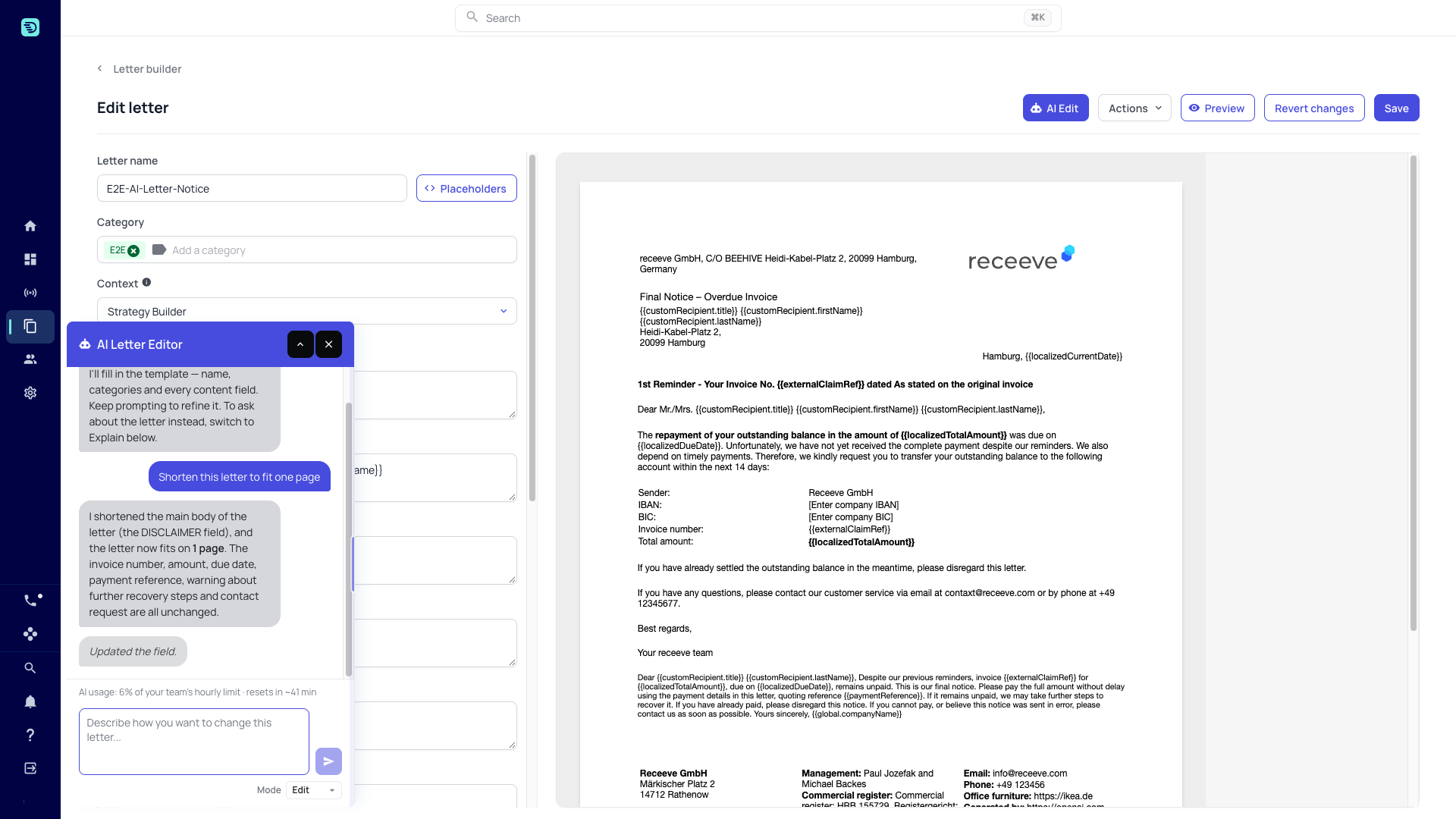
A letter is printed, so its length matters. On a saved letter, the assistant can tell you how many pages the letter comes to, in either mode. In Edit mode it can also shorten a field toward a page target, without leaving the builder.
Ask for a page target
Open a saved letter (the header reads Edit letter), click AI Edit if the panel is closed, and ask in Edit mode:
- click Shorten this letter to fit one page under Try asking:, or
- type a prompt that names the target, for example "Shorten this letter so it fits on one page".
The assistant shortens the field you name, counts again, and tries up to three times. It tells you the count it reached, which can still be over the target.
How the count works
- The letter is rendered with its layout and sample values for its placeholders, the same way it is rendered when it is sent, and the pages of the result are counted.
- When part of the letter can only be measured roughly — for example the legal disclosures block, which is counted as a single line — the assistant reports the count as approximate ("at least one page") and warns that the printed letter may run longer.
- The count reflects the letter as it is in the builder, including unsaved edits to the fields.
Before the letter is saved
The assistant can count pages only once the letter has been saved at least once; after that, the count includes changes you haven't saved yet. On a new or cloned letter it writes the content but says it can't count yet. Saving starts a new conversation, so ask for the page count again after you save rather than expecting a follow-up in the same thread.