Referencing strategies & content
Type @ in the chat box to bring other strategies and content into the conversation. This lets the assistant compare strategies, reuse one as a template, and wire the correct templates, partners, workflows and other content into your steps.
The mention picker
When you type @, a picker opens showing the categories you can reference, each with a count. Pick a category to drill into it, then choose the item — or keep typing to filter by name.
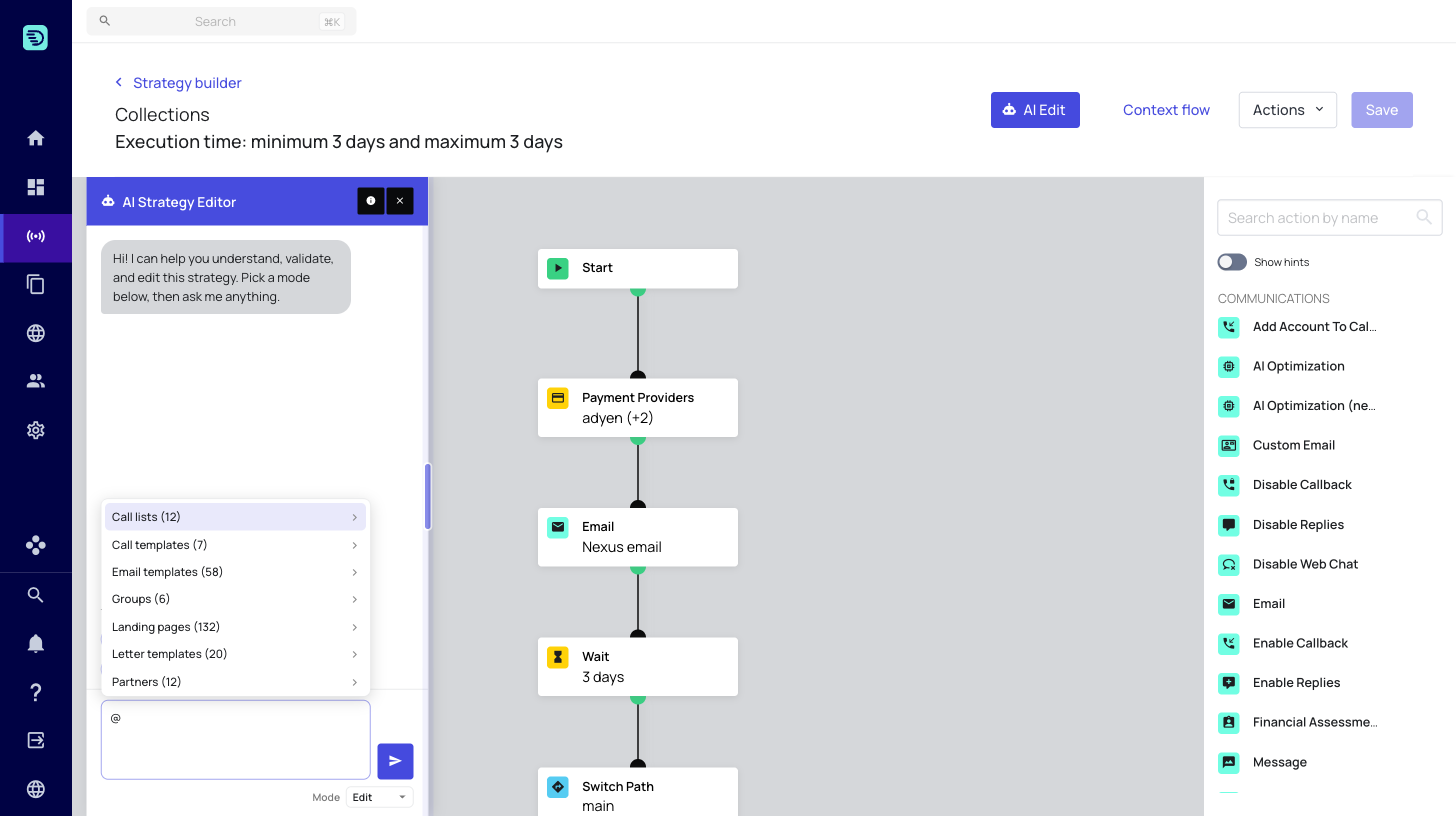
The picker shows up to 50 items per category at a time. If you don't see the item you're after, keep typing to narrow the list by name.
Categories & shorthands
You can reference any of the categories below. Pick one from the list, or type its shorthand to jump straight there and filter by name — for example @sms/Nexus searches SMS templates for "Nexus".
| Category | Shorthand |
|---|---|
| Call lists | @calllist/ |
| Call templates | @call/ |
| Email templates | @email/ |
| Groups | @group/ |
| Landing pages | @landingpage/ |
| Letter templates | @letter/ |
| Partners | @partner/ |
| Queues | @queue/ |
| SMS templates | @sms/ |
| Strategies | @strategy/ |
| Users | @user/ |
| WhatsApp templates | @whatsapp/ |
| Workflows | @workflow/ |
Referencing another strategy
Mention a strategy by name to explain, compare, or reuse it:
- Explain / compare (in Explain mode): "What's the difference between this and @strategy/Late-Stage-Legal?"
- Use as a template (in Edit mode): "Use @strategy/Early-Stage-Collections as a template, but change the wait steps to 7 days"
When you mention a strategy, the assistant fetches its full flow and uses it as context alongside the strategy you have open.
Referencing content in edits
When you ask the assistant to add or reconfigure a step that needs specific content, mention the exact item so it's configured correctly:
- "Add an SMS step using @sms/Nexus SMS"
- "Send the @email/Welcome template, then wait 2 days"
- "Outsource the claim to @partner/Acme Collections"
You can include multiple mentions in a single prompt — for example, referencing both a strategy to copy from and a template to swap in. You can reference up to 5 items per prompt; if you need more, split your request across a couple of messages.
Mentioning the exact template or partner is the quickest way to avoid the assistant having to stop and ask you which one to use.