Investigating a claim
Opened from a Claim detail page, the assistant keeps its answers focused on that claim and its account. Everything on this page works in Explain mode, which is read-only — a safe way to understand a claim before you touch it.
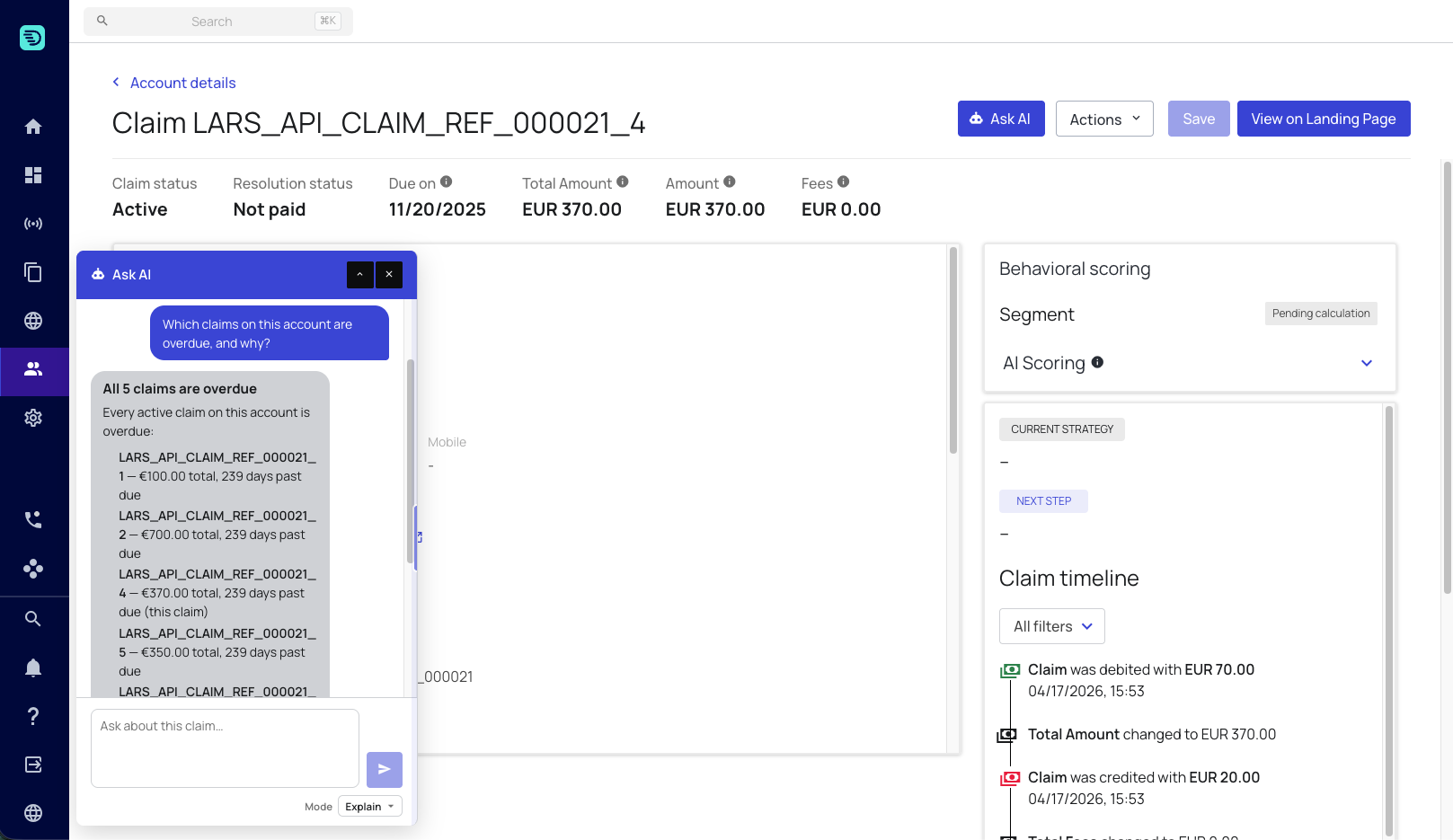
Metafield & metadata history
Ask when a metafield changed, what it changed to, and where the change came from:
- "Since when has this claim had riskLevel set to HIGH?"
- "When did the withFailedCMS metafield change?"
- "Has this claim's risk level ever been changed back?"
The assistant separates the current value from how it got there. For "what is it right now" it reads the claim's live state; for "when did it change" it reads the claim's event history and reports the date, the before → after values, and whether the change came from a user or from an automated source such as an import or API call.
The assistant reports what changed, not why. If an event doesn't record a reason, it won't invent one — see Evidence & grounding.
Field-change attribution
Ask who changed something, and when:
- "Who changed this claim's details, and when?"
- "Who updated the debtor's address?"
- "What was the phone number before it was changed?"
Answers lead with the change itself — when it happened and the before → after values — and then attribute it. Where the event records an acting user, the assistant names them. Where no user is recorded, it describes the change as automated or system-made rather than guessing a name.
Why this claim is on its strategy
This is one of the most common support questions, and the assistant handles it directly:
- "Why is this claim on its current strategy?"
- "Why is this claim on the Dunning Letter strategy instead of Soft Reminder?"
- "Why didn't the second email go out?"
The assistant reconstructs the answer by comparing the configured strategy against the claim's actual event trail. It names the strategy and explains the outcome in plain business terms — which branch the claim matched, or that no routing rule matched so it took the default path.
A claim may have been on more than one strategy over time. The assistant keeps them separate and attributes each event to the strategy it belongs to, rather than merging them into one story.
What happens next
- "What are the next steps in the strategy for this claim?"
- "When is the next communication due?"
The assistant reads the claim's strategy and describes the upcoming steps and their timing.
Amounts & fees
- "Why is the amount of this claim what it is?"
- "When were fees added to this claim?"
The assistant traces how the total reached its current value. It quotes each figure as the system reports it rather than doing the arithmetic itself — see Evidence & grounding.
When a step is stuck
If a strategy step started but nothing in the timeline explains what happened next — an email step with no message-generated, sent, completed or failed event after it — the assistant digs one level deeper and searches the relevant backend service's logs for errors about the claim.
- "Why is this claim stuck on the email step?"
- "Why hasn't the letter gone out?"
These log results are best-effort diagnostics, summarised in plain business language. If the logs turn up nothing, the assistant says so rather than guessing at a cause.
Explain mode is the right first step before acting. Investigate the claim, confirm what you're looking at, then switch to Edit mode to make a change.