Platform widgets
Alongside ordinary content — headings, text, buttons, images — a landing page can carry platform widgets: the claims picker, payment component, payment button, QR code and language picker. These aren't static content; they render live data for the debtor and handle the payment itself.
The assistant can add, configure, move and remove them, within the rules each widget carries.
Adding a widget
Ask for it by name and say where it goes:
- "Add a claims picker below the intro"
- "Add a payment button at the bottom of the page"
The widget appears on the canvas with its default settings, ready to configure.
Configuring a widget
Widgets expose their own settings — mostly the labels and colours the debtor sees. Those can be changed in plain language:
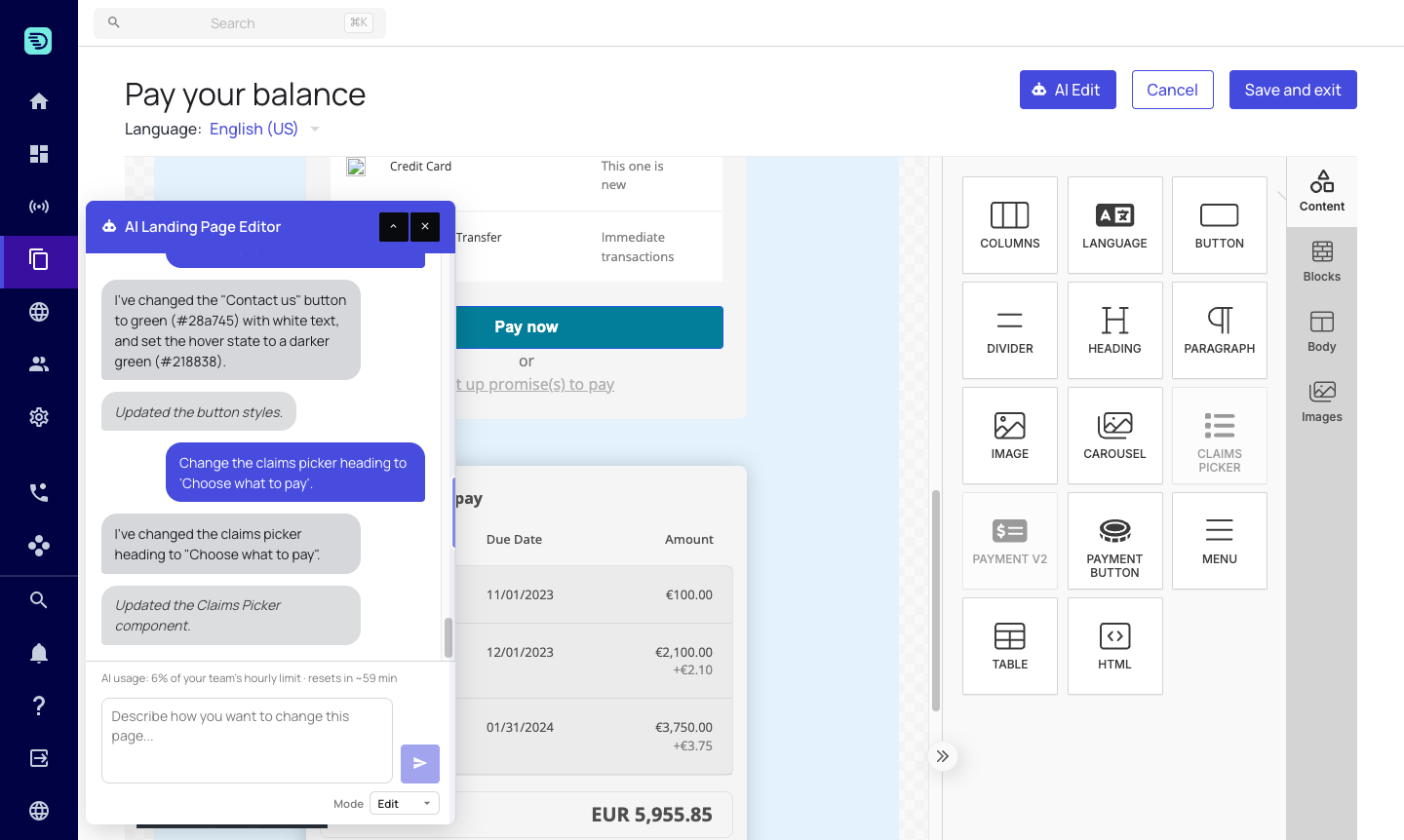
- "Change the claims picker heading to 'Choose what to pay'"
- "Rename the total row to 'Amount due'"
Each widget exposes its own set of settings, and only those can be changed — by the assistant or by hand. Ask for something outside that set and the assistant tells you rather than silently doing nothing.
A widget's text settings can carry placeholders, and the assistant preserves them when it rewrites a label. Asked to make "Pay the full {{localizedTotalAmount}}" firmer, it returns "Pay the full {{localizedTotalAmount}} now" — the placeholder intact, not resolved to a number and not dropped.
The rules each widget carries
Two rules explain most of the times a widget can't be added:
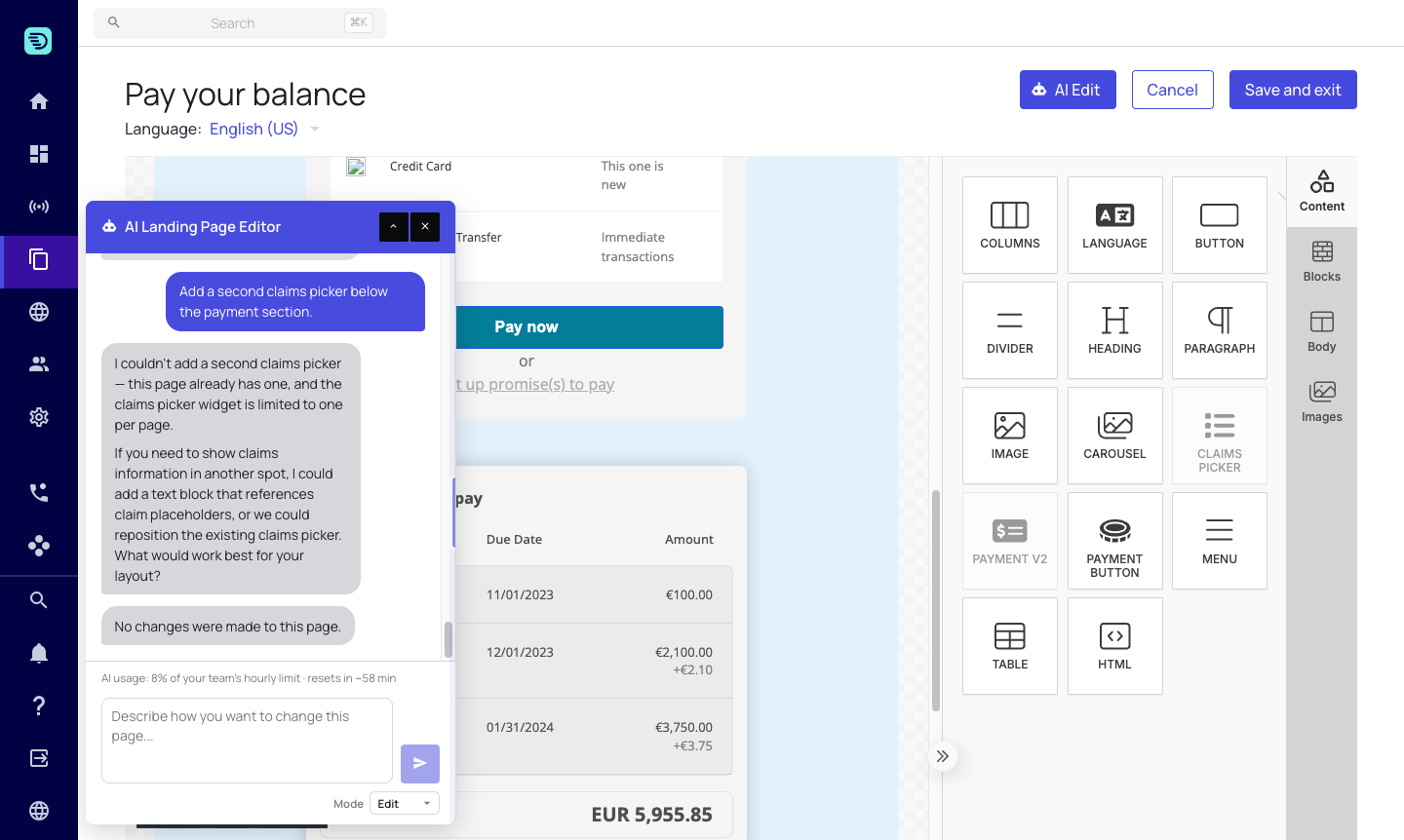
One per page. The claims picker, payment component and payment button are single-instance — a page carries at most one of each, and the tile greys out once one is present. Ask for a second and the assistant explains that one is already there and offers to edit it instead. The language picker has no such limit.
Page type. An account-level page carries the claims picker, payment component and payment button; a claim-level page carries the payment component and QR code. The language picker works on both. The Content panel already shows you only what the page you have open can take, and the assistant follows the same rule — ask for something else and it says so rather than adding an element that would never render.
The one exception is the payment button on a claim-level page: the tile is there, but the assistant declines it, because the button pays the account total across every claim. Use the payment component instead.
Moving and removing
Widgets can be repositioned and removed like any other element:
- "Move the claims picker above the payment section"
- "Remove the QR code"
If you're not sure which widgets a page already has, ask in Explain mode — "which widgets are on this page?" — before you start editing.